
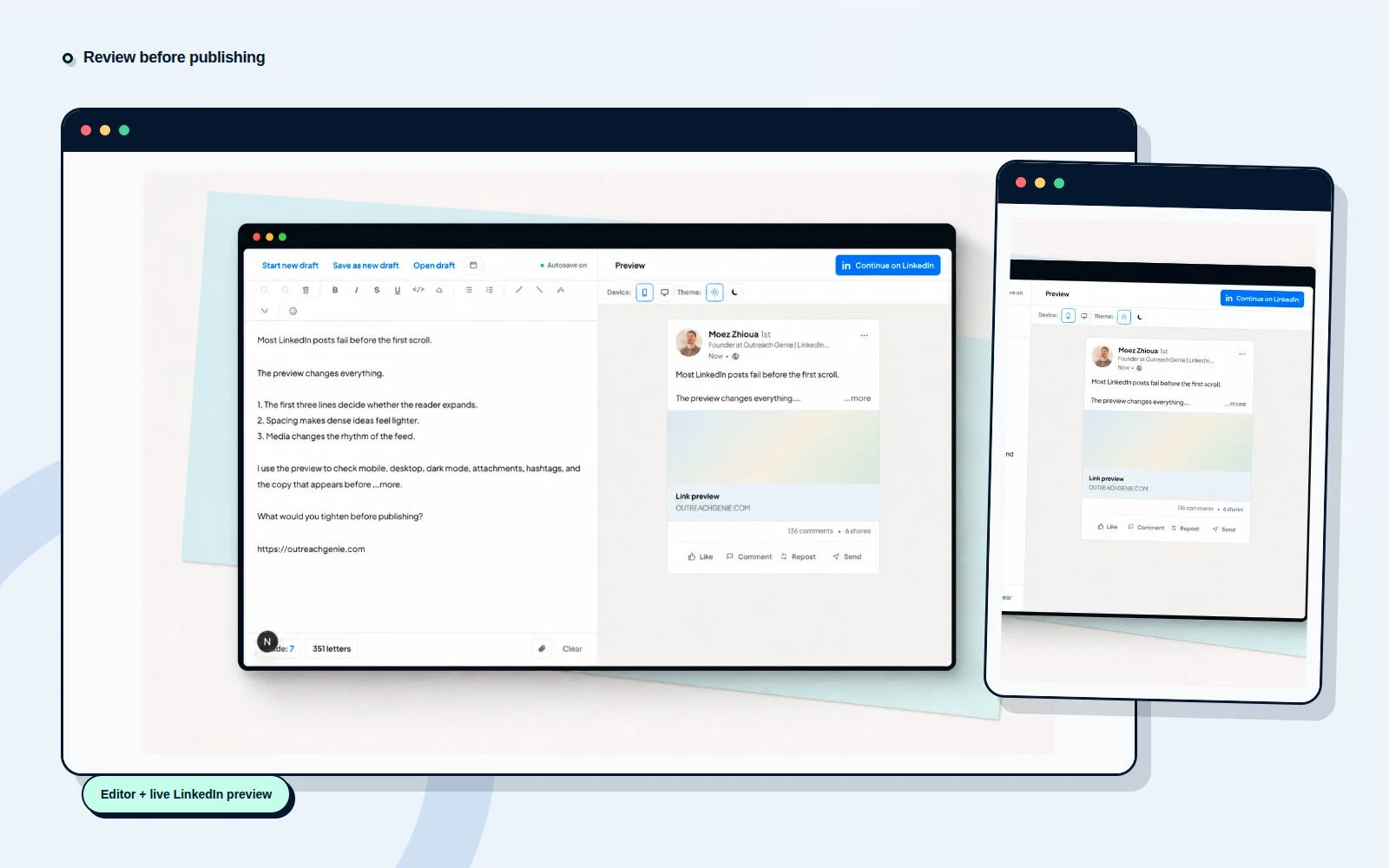
LinkedIn post preview
Free · No account
Write, add media, check the fold, compare desktop and mobile, then continue to LinkedIn for the final review.
Open the previewOutreachGenie tools
Start with a LinkedIn audience, a company page or a public website. Collect the list, add available context and review it before outreach.
Seven focused outbound workflows. Start with a LinkedIn source or public website, then collect or enrich records in your OutreachGenie workspace. Account required; limited free allowances. LinkedIn collection also requires the paired extension and your own LinkedIn access.
Export accessible LinkedIn event attendees to CSV with names, headlines and profile links. Start in your OutreachGenie workspace with the extension.
Start with your sourceExport accessible LinkedIn post commenters and reactors into a deduplicated CSV with profile links and engagement context, using OutreachGenie.
Start with your sourceExport accessible Sales Navigator lead-search results to CSV. Keep names, roles, companies and profile URLs with an active Sales Navigator session.
Start with your sourceFind accessible LinkedIn profiles associated with a company, filter by target roles and export a reviewable employee prospect list to CSV.
Start with your sourceExport accessible LinkedIn People-search results to CSV using your paired OutreachGenie extension. Keep profile URLs and available prospect details.
Start with your sourceAdd available LinkedIn profile details to a list of profile URLs. Review role, headline, company and location results and export an enriched CSV.
Start with your sourceExtract publicly listed business emails and phone numbers from a company website. Export contacts with source-page links and review crawl coverage.
Start with your sourceBefore you export
A connection archive, an event registration file and a Page report contain different things. Start with the source you have.
No file upload or LinkedIn connection needed.
See the available output, the limits that matter and a guide for that exact task.
Draft the next message, plan the sequence, review campaign replies or map the people you still need to understand. These four tools work locally in your browser without an account.
Draft a LinkedIn follow-up from the conversation, requested details and agreed timing. Get an editable message or a clear reason to wait. Free, no signup.
Open the toolPlan a LinkedIn outreach sequence with acceptance checks, waits, message drafts and stopping rules. Download an editable brief. Free, local, no signup.
Open the toolCompare LinkedIn campaign cohorts from your CSV. Check mature response windows, positive replies, unknown outcomes and duplicate people. Free and local.
Open the toolMap a company employee CSV to the buyer roles you define. See possible title matches, uncovered roles and conflicting records. Free, local, no signup.
Open the toolStart with Post Preview
Check a post before it goes live, or see how OutreachGenie handles a practical LinkedIn task from its browser companion. Each tool has one clear output, so you can use it on its own or connect it to a reviewed prospecting workflow when the work becomes repeatable. Start with the smallest task, check the result, and only then connect the next step.
Headline options and an About section built from your own facts, checked for length, buzzwords and what shows in search. No AI, no signup.
Measure a post, connection note, InMail or headline against every LinkedIn limit, with the source for each number. Free, local, no signup.
Write a connection request note under 200 characters, reply to a greeting or write after acceptance. Edit and copy. Free, local, no signup.
Read and search your message CSV in a separate local reader. Confirm the columns, keep the original record order and review context before a handoff. Free, no account needed.
Find missing profile URLs, duplicate people, and conflicting rows before importing a lead list. Your CSV stays in your browser. No account needed.
Build a query to copy or open in LinkedIn People search, or check an existing query. No OutreachGenie account needed.
("VP Sales" OR "Head of Sales") AND SaaSFree · No account
Write, add media, check the fold, compare desktop and mobile, then continue to LinkedIn for the final review.
Open the preview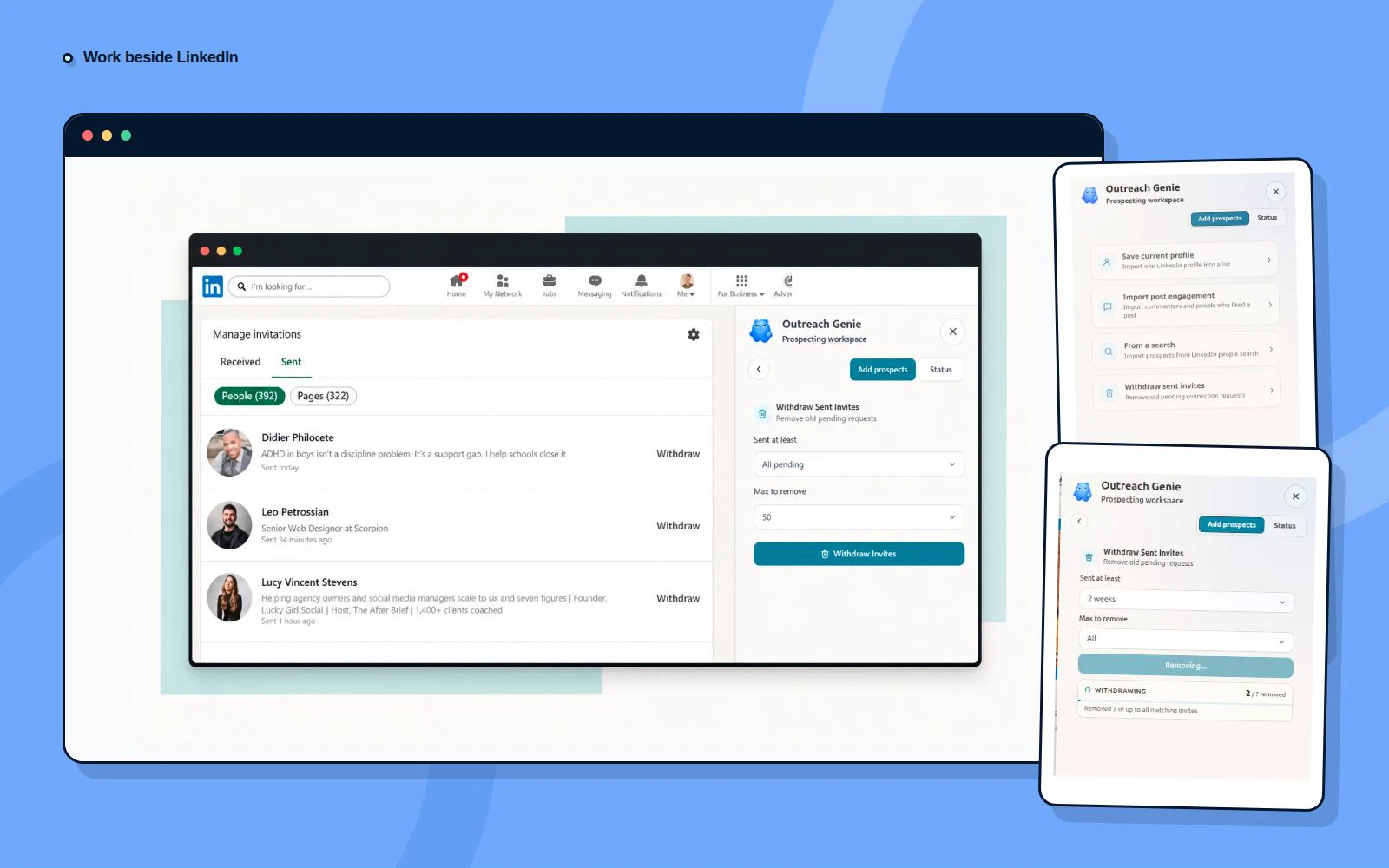
Extension tool
Choose the age and batch size for old pending invitations, then follow the work from the sidebar.
See the walkthroughChoose a starting file or follow a setup guide. Files and reports are in English.
Start with the five import columns, then add the prospects you are allowed to use.
No account to download. Public profile URLs are required when you import.
Download CSVWrite down your search terms, review a sample of profiles and decide what to change before collecting a list.
No account needed. Edit and print in your browser; notes are not saved when you leave.
Open the worksheetReview missing message variables, message lengths and incomplete list captures before preparing outreach.
The fictional demo needs Python 3.10+. Your own lists also need an OutreachGenie workspace and a compatible MCP host.
Read the audit setupCreate a Markdown report from one campaign’s recorded metrics and first-page activity and upcoming-action samples. No sending or campaign changes.
Requires n8n, an OutreachGenie workspace, an existing campaign and an MCP credential. The setup guide is in English.
Read the n8n setupInside the workspace
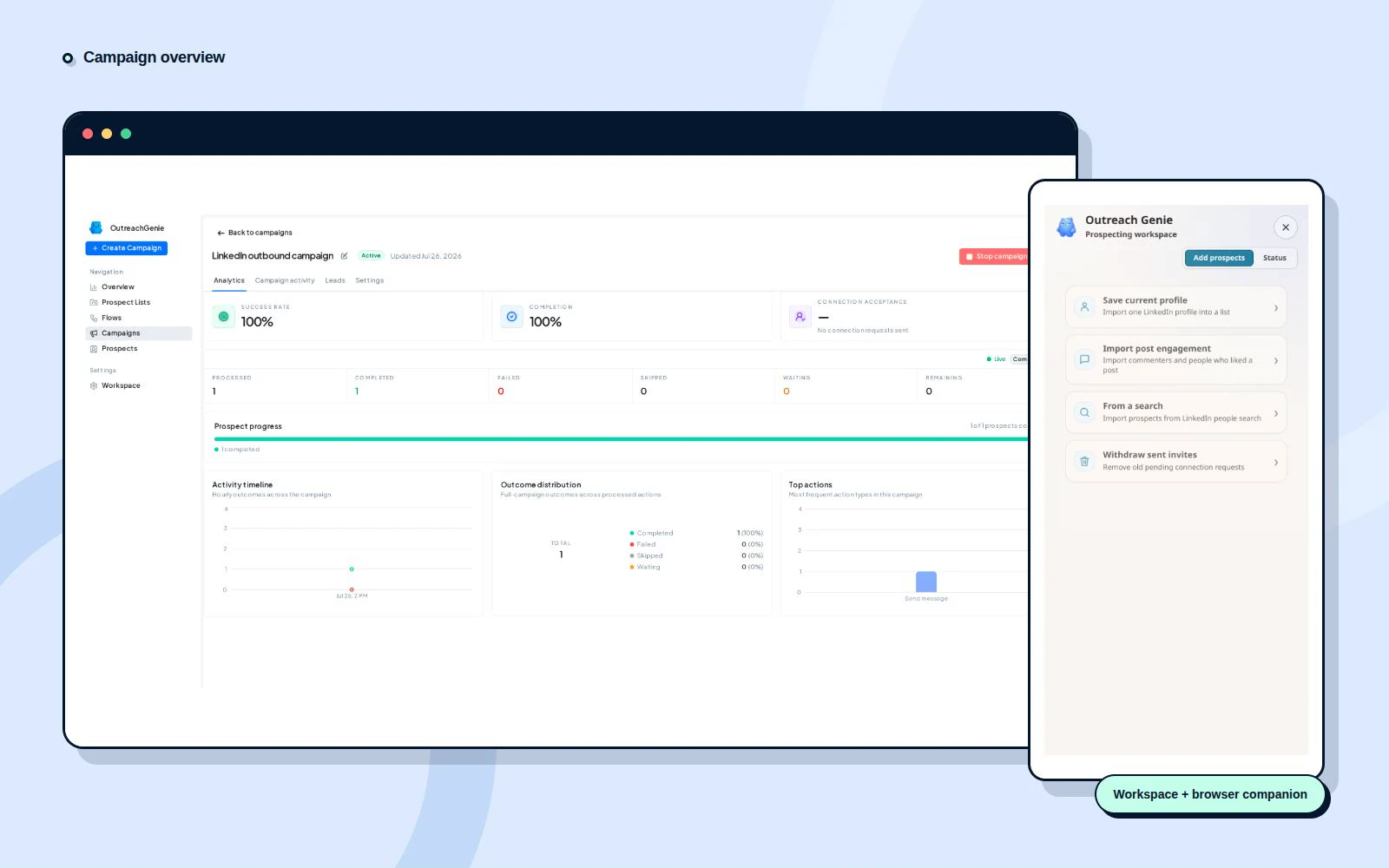
These screens come from the live product: a running campaign, a real flow, and the browser companion your team uses on LinkedIn.
See progress, completion, acceptance, errors, and remaining work without piecing it together from separate tabs.
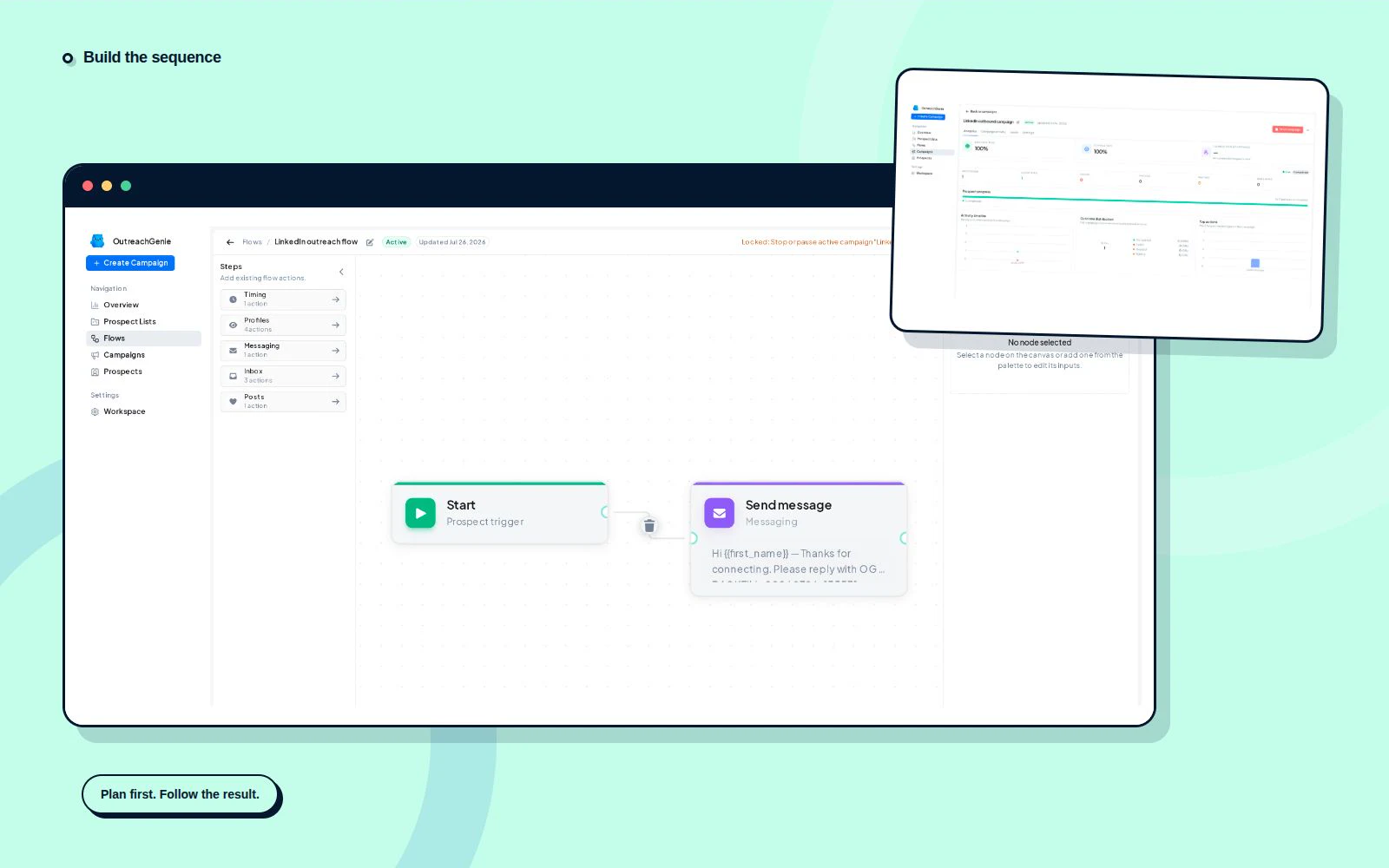
Arrange actions, waits, acceptance checks, and messages in the order people will actually experience them.
Save profiles, import engagement, work from search, and maintain sent invitations beside LinkedIn.
Outreach is free forever. AI features are on Pro.