
Better lists, with the source still attached
Search results, post engagement, profiles, and CSVs land in the same workspace. You still see why a person is on the list.
Pick who to reach and write your messages once. OutreachGenie sends the connection requests and follow-ups for you, and shows you who replied.

Reach the people from a LinkedIn search
Save the people from the search, review the list, and send them a connection request and follow-ups.
Free forever. No product quota. LinkedIn's limits still apply.
Four steps from a list of people to replies. Follow one example lead through them.
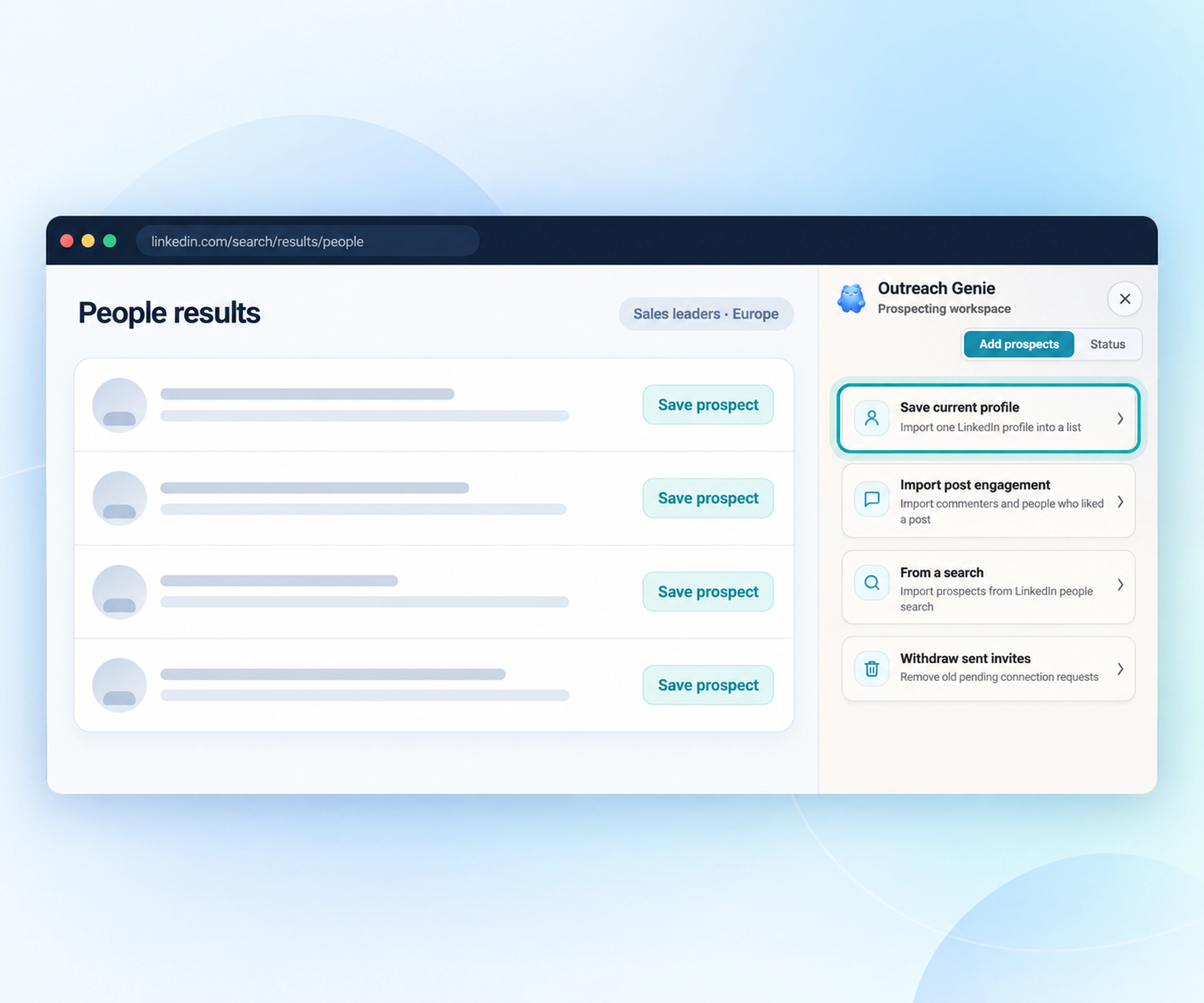
Start from a LinkedIn search, the people engaging with a post, a profile, or a CSV export. Each person keeps the source that led you to them.
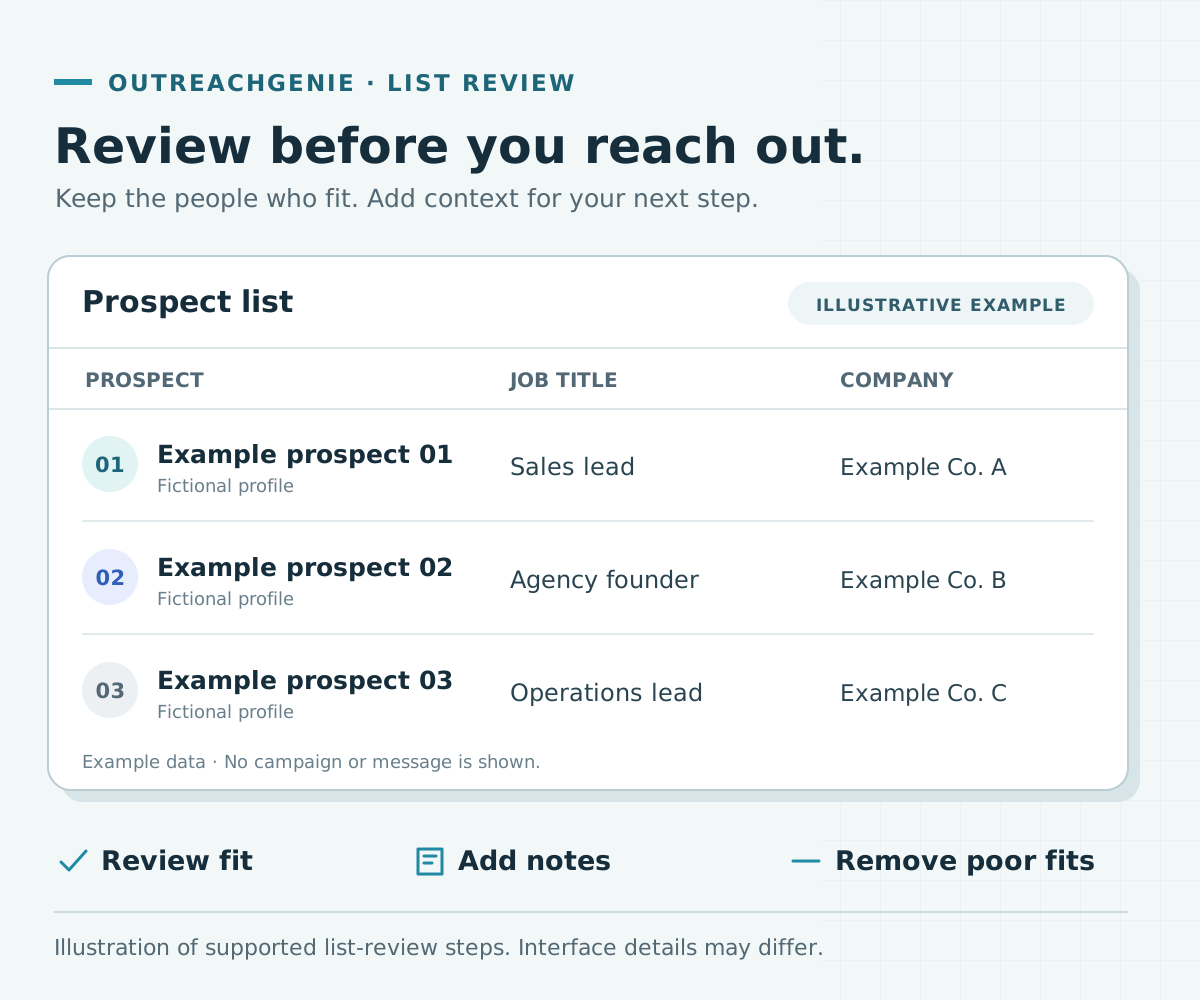
Review the list before anything is sent. Add notes, remove people who do not fit, and keep the rest for the campaign.
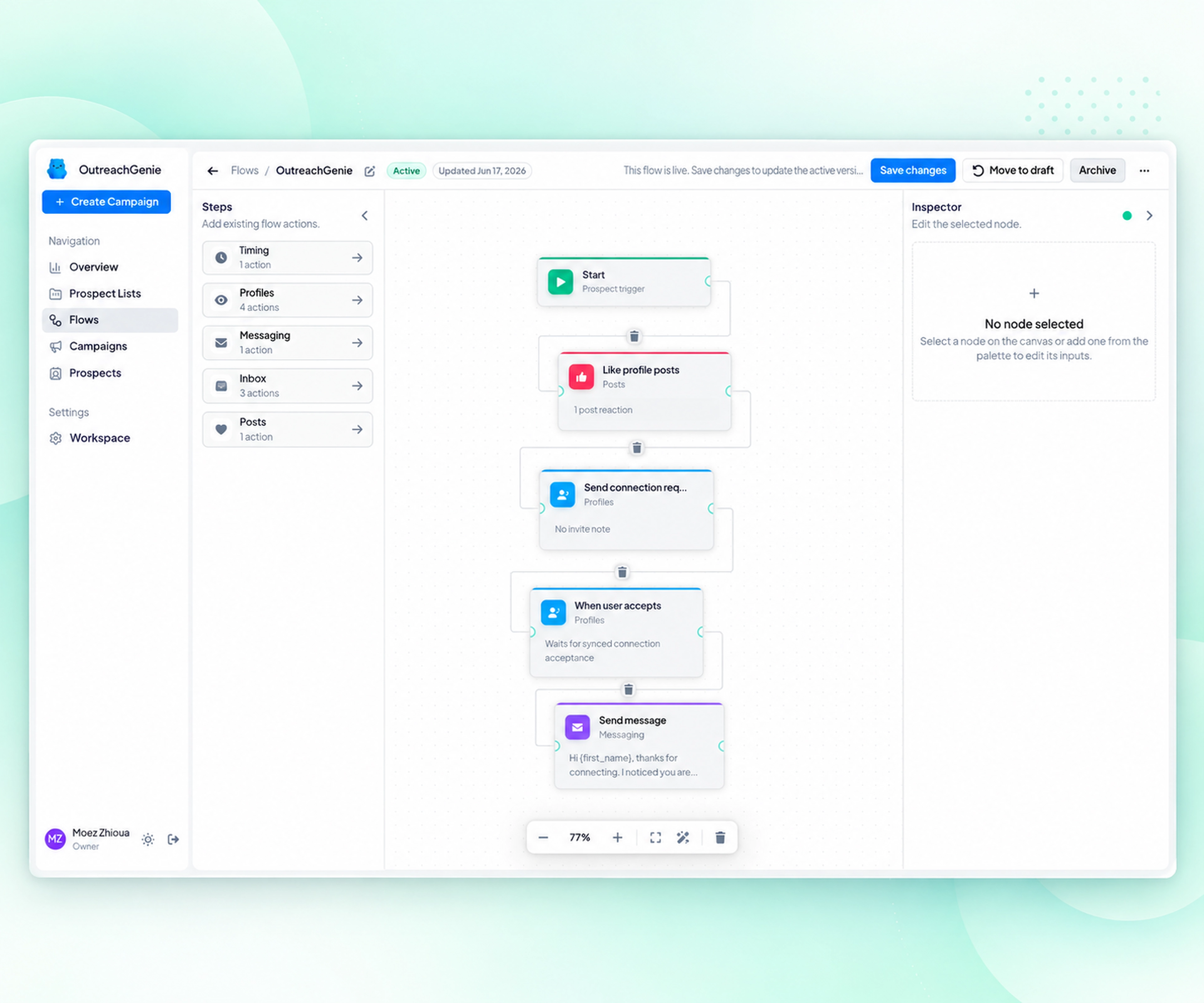
Set the connection request, the waits, and each follow-up message as one visible flow. Add a reply check, then read it end to end before you start.
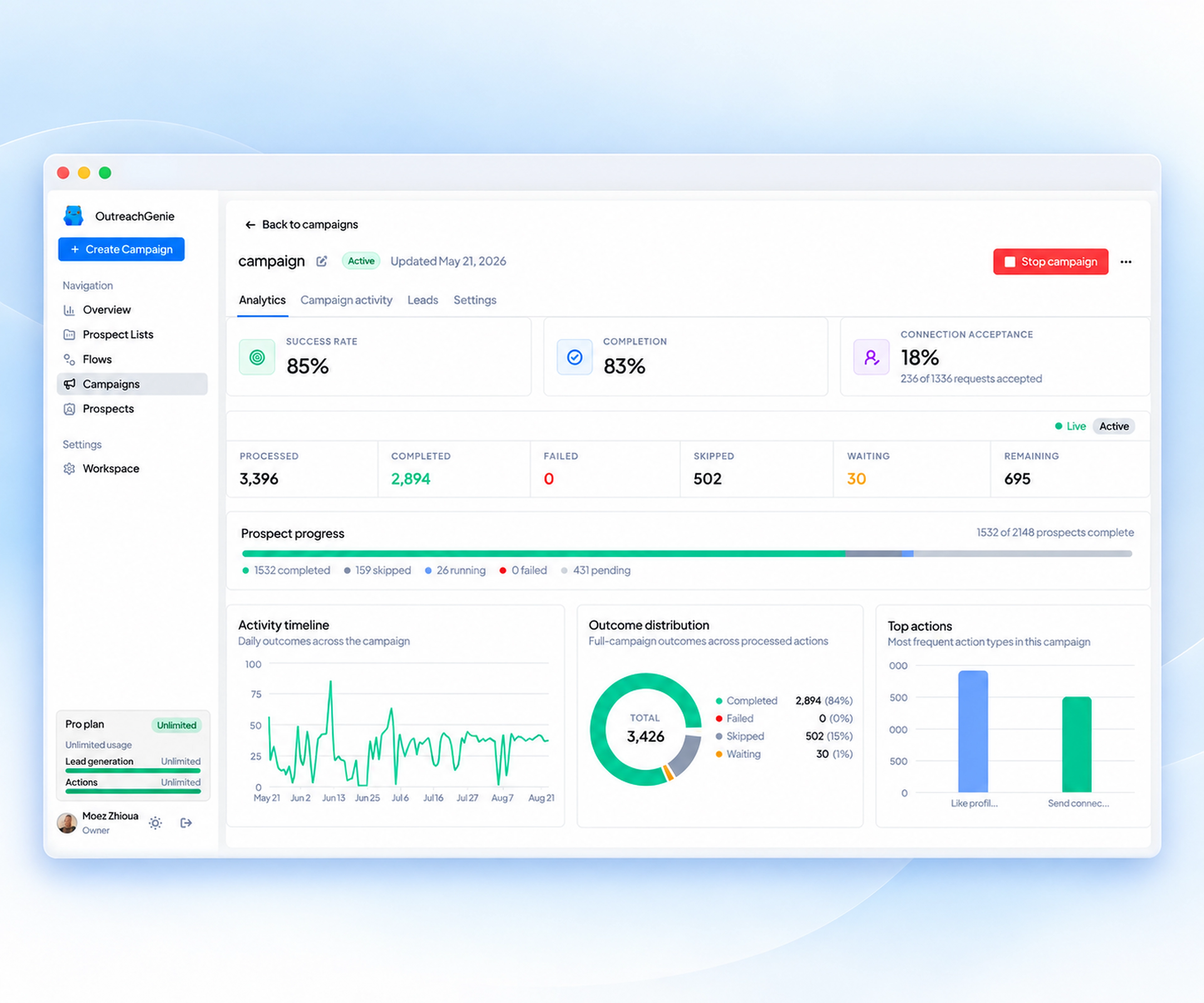
OutreachGenie sends the invites and follow-ups at the daily pace you set. Watch acceptances, replies, and failures as the campaign moves.
Everything your outreach needs, free
Find the people, reach out, follow up, and see who answered.

Turn a LinkedIn search into a list you can review before anyone gets a message.

Pull in everyone who liked or commented on a post, drop the ones that do not fit, keep the rest.

The connection request, the waits, and each follow-up message go out in order, without you clicking.

Acceptances, replies, pending work, and failures in the same view. No tab switching.
You can see who is on the list, what gets sent, and what happened.
Search results, post engagement, profiles, and CSVs land in the same workspace. You still see why a person is on the list.
A flow is a diagram you can read, not a hidden rule set. Check audience, order, and timing before any activity starts.
The browser companion keeps save, import, and invitation cleanup next to the page you are already on.
The outreach tools, plus a LinkedIn post preview and a browser companion. No feature gates.
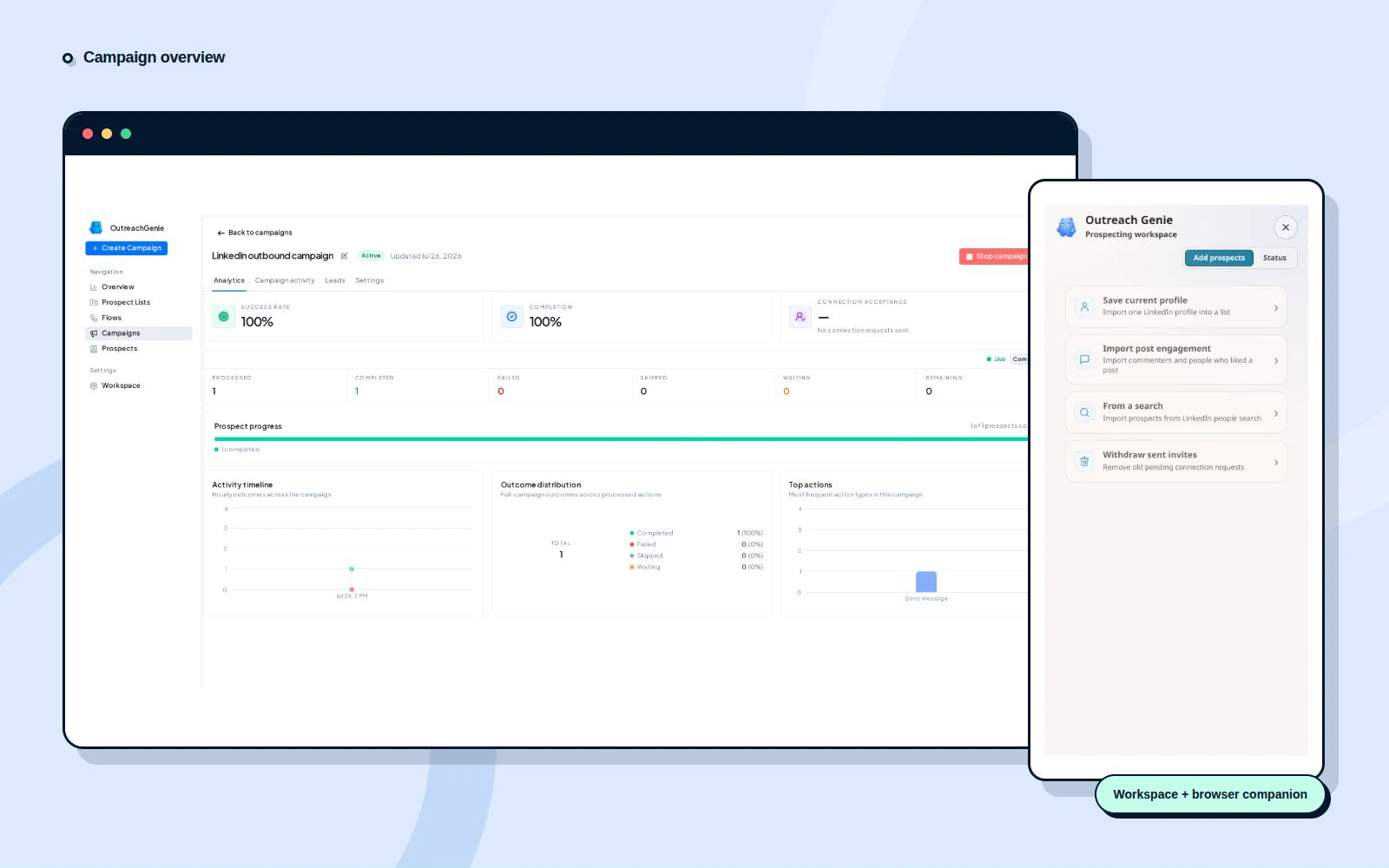
Progress, acceptance, failures, and pending work in one live view.
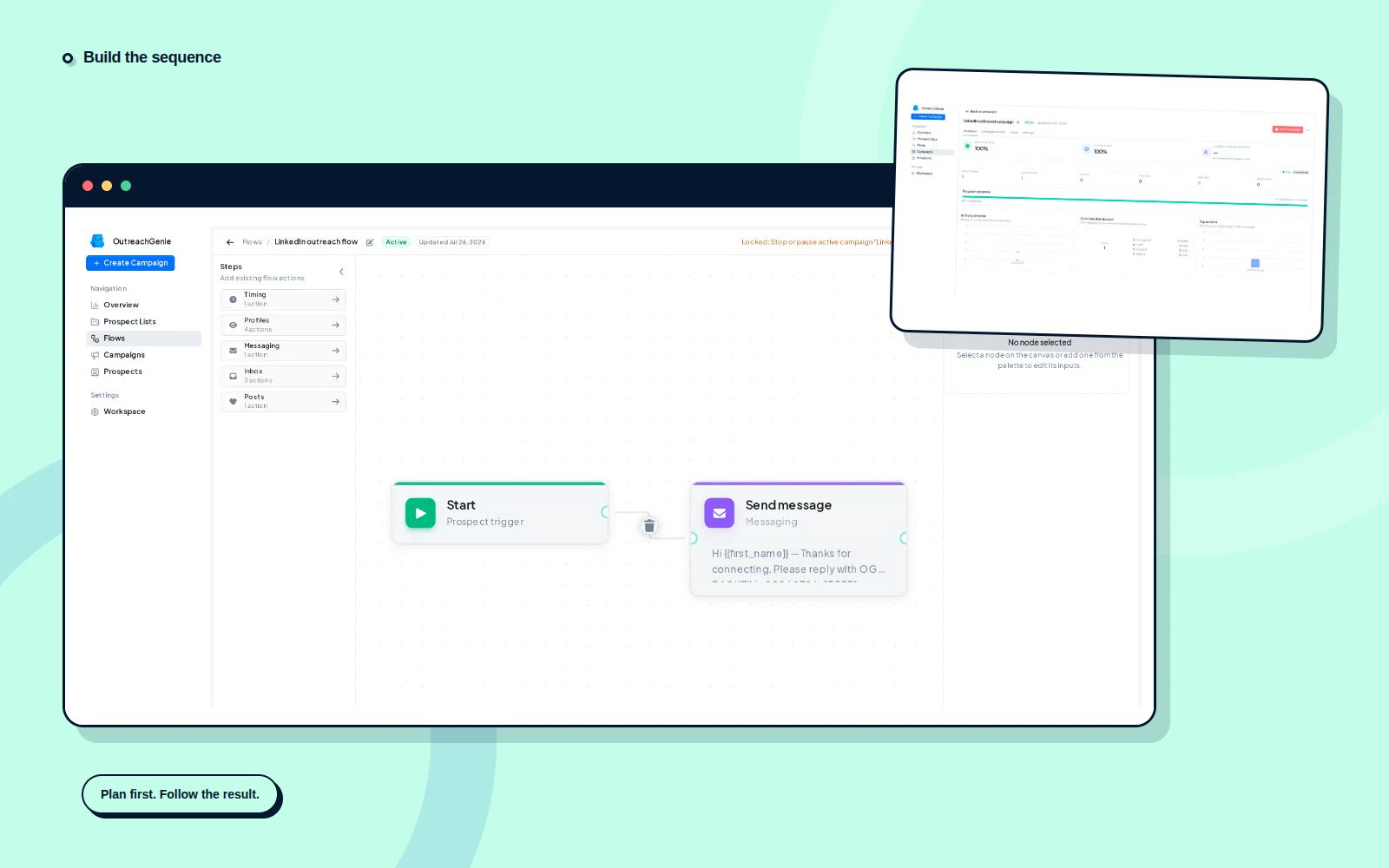
Arrange visits, waits, invitations, messages, and reply checks.
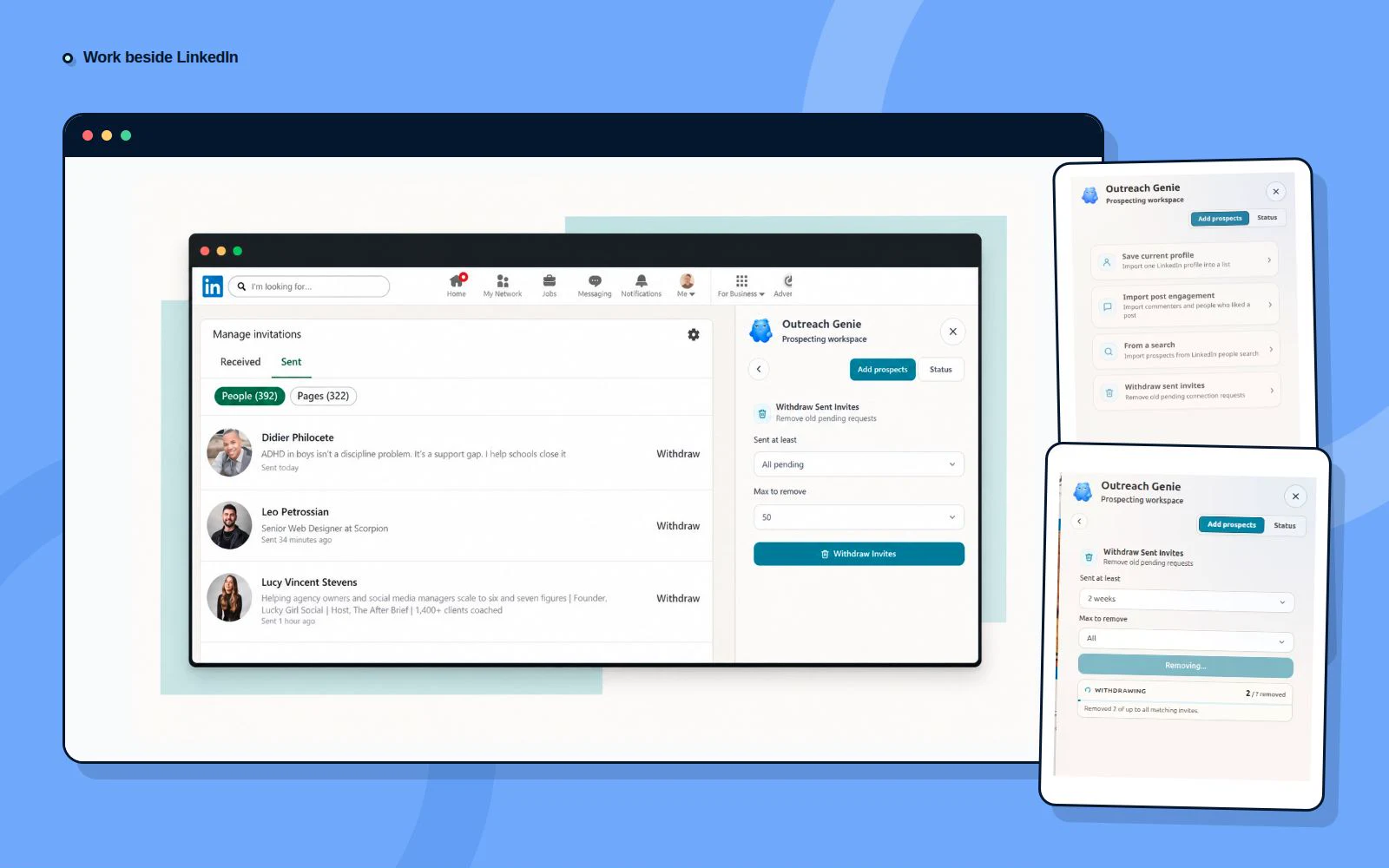
Save prospects and clean up older invitations without leaving LinkedIn.
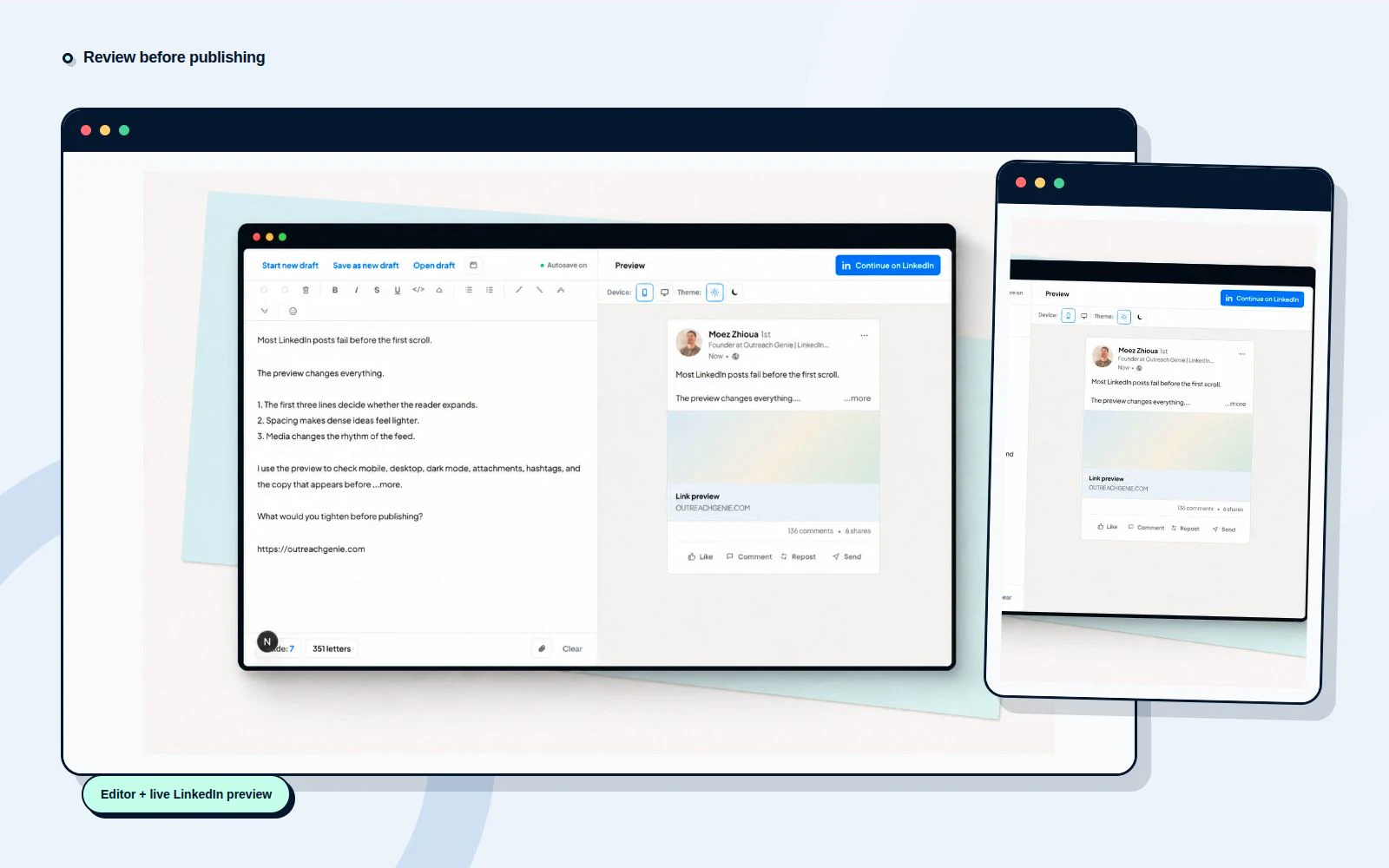
Check the fold, formatting, media, and mobile layout before publishing.
Free forever. No product quota. LinkedIn's limits still apply.
Done for you
Our team runs it for you. We provide the sending profiles, build your lead lists, write the messages, run the campaigns and hand you the interested replies. Pricing is custom to your volume.

Free forever. No product quota on invites, messages, visits, lists, or flows. LinkedIn’s limits still apply. See pricing.
Reach the people from a LinkedIn search
Save the people from the search, review the list, and send them a connection request and follow-ups.
Everything you need to know about the product. Can’t find the answer you’re looking for? Get in touch.
It automates LinkedIn outreach. You pick the people, write a connection request and your follow-up messages, and the campaign sends them at the daily pace you set. You see who accepted, who replied, and what failed. It also includes a LinkedIn post preview.
Yes. Free forever. No credit card and no product-side quota on invites, messages, visits, lists, or flows. LinkedIn's platform limits still apply. The pricing page has the full breakdown.
Yes. If you want at least 2,000 messages a month, our done-for-you service runs it for you: we provide the sending profiles, build the lead lists, write the messages and hand you the interested replies. Pricing is custom, and you can book a demo call from the LinkedIn outreach service page.
Yes. The visual flow builder shows visits, waits, invitations, messages, and reply checks as one sequence, so you can read the logic before you activate it.
It keeps focused LinkedIn actions beside the page. You can save prospects, work with search results, and clean up older pending invitations without leaving the browser.
Yes. The LinkedIn post preview and the practical guides are public. You can draft, format, add media, and review a post before deciding whether you want the full workspace.
Composing and live preview work today. Saving a post as a draft in your workspace, publishing, and scheduling are in progress. Drafts currently stay in your browser only.
No. LinkedIn is a trademark of LinkedIn Corporation. OutreachGenie is an independent product and is not endorsed by or affiliated with LinkedIn. LinkedIn's own limits and policies still apply to the activity you run.