
Connection request automation with review
LinkedIn auto connect: how connection request automation works
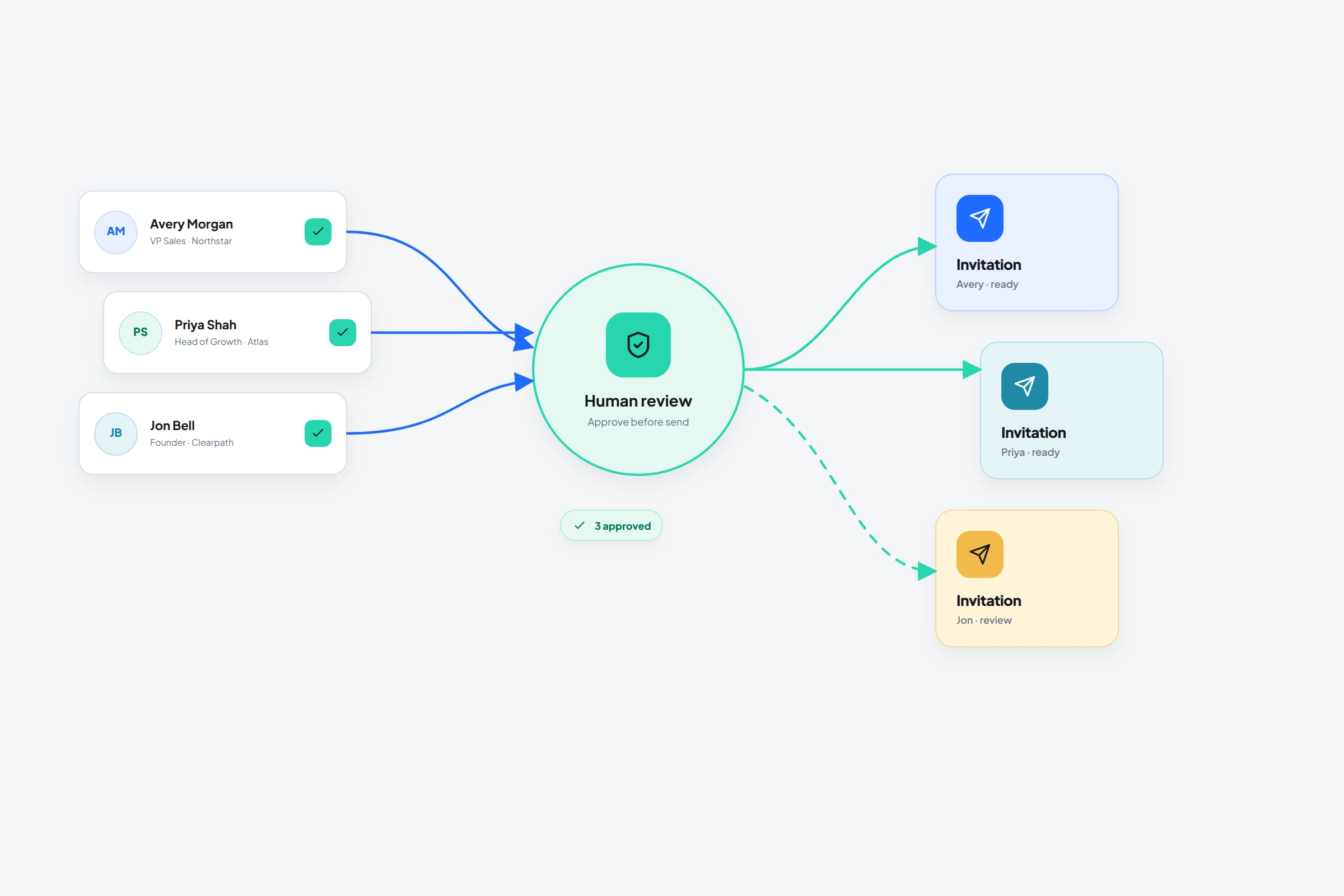
LinkedIn auto connect usually means software that prepares or sends connection requests from a list. The label hides three different routes: LinkedIn's manual Connect workflow, a restricted Invitations API available to approved partners, and third-party browser automation that LinkedIn says it does not allow.
Choose the route before choosing a daily volume. The route determines who has authority to send, what account risk exists, and whether acceptance can be read as a real state instead of an assumed delay. Once clicking becomes cheap, prospect selection and review become the scarce work.
01
What LinkedIn auto connect actually means
Searchers use LinkedIn auto connect for several jobs: sending one invitation faster, queueing a reviewed list, attaching a short note, or growing a network without opening every profile. Those jobs do not share the same permission model.
LinkedIn's own Connect control is the normal member workflow. Its Invitations API can create invitations, but Microsoft documents the API as restricted to approved LinkedIn partners and subject to an API agreement. A browser extension that clicks Connect inside a signed-in session is not using that partner status merely because it automates the same visible action.
- Manual Connect: the member reviews and sends inside LinkedIn
- Approved Invitations API: partner-only access on behalf of the authenticated member
- Third-party browser automation: outside LinkedIn's approved member workflow and covered by its automation prohibition
02
Can the LinkedIn API send connection requests?
Yes, LinkedIn documents an Invitations API that can send a connection invitation with a POST request. The important qualification is access: the documentation says use is restricted to approved partners. Finding the endpoint in documentation does not grant a standard LinkedIn application permission to call it.
Do not confuse that API with the Connections API. The Connections API retrieves the authenticated member's first-degree connections; it does not provide a general invitation-sending entitlement. If a vendor claims official API sending, ask which LinkedIn partner program and application permission authorize the action.
03
Automation moves the bottleneck upstream
Sending one invitation manually combines selection and execution: the sender opens a profile, considers the person, and clicks Connect. A bulk workflow separates those activities. The list is approved first; software repeats the browser action later.
A sound workflow spends human attention while the decision is cheap to change. “Founders of bootstrapped B2B software companies who posted about hiring their first salesperson this quarter” can be reviewed against a current profile. “B2B founders” is merely a database filter.
- Exclude current connections and people with pending invitations
- Exclude customers, open opportunities, and competitors when the campaign is not for them
- Remove people whose current role no longer matches the source list
- Preserve one visible reason for contact now
- Keep the first batch small enough to open every profile
04
Manual sending, campaign execution, and AI have different authority
LinkedIn's normal Connect workflow keeps the profile and decision together, making it appropriate for a short list or unusually valuable relationships. LinkedIn's current Help pages disagree about the free personalized-note allowance: the personalization page says three requests per month, while the invitation-limit page says five. The personalization page also states a 200-character limit. Check the current account interface instead of building a campaign around either published number. Premium notes remain subject to invitation limits.
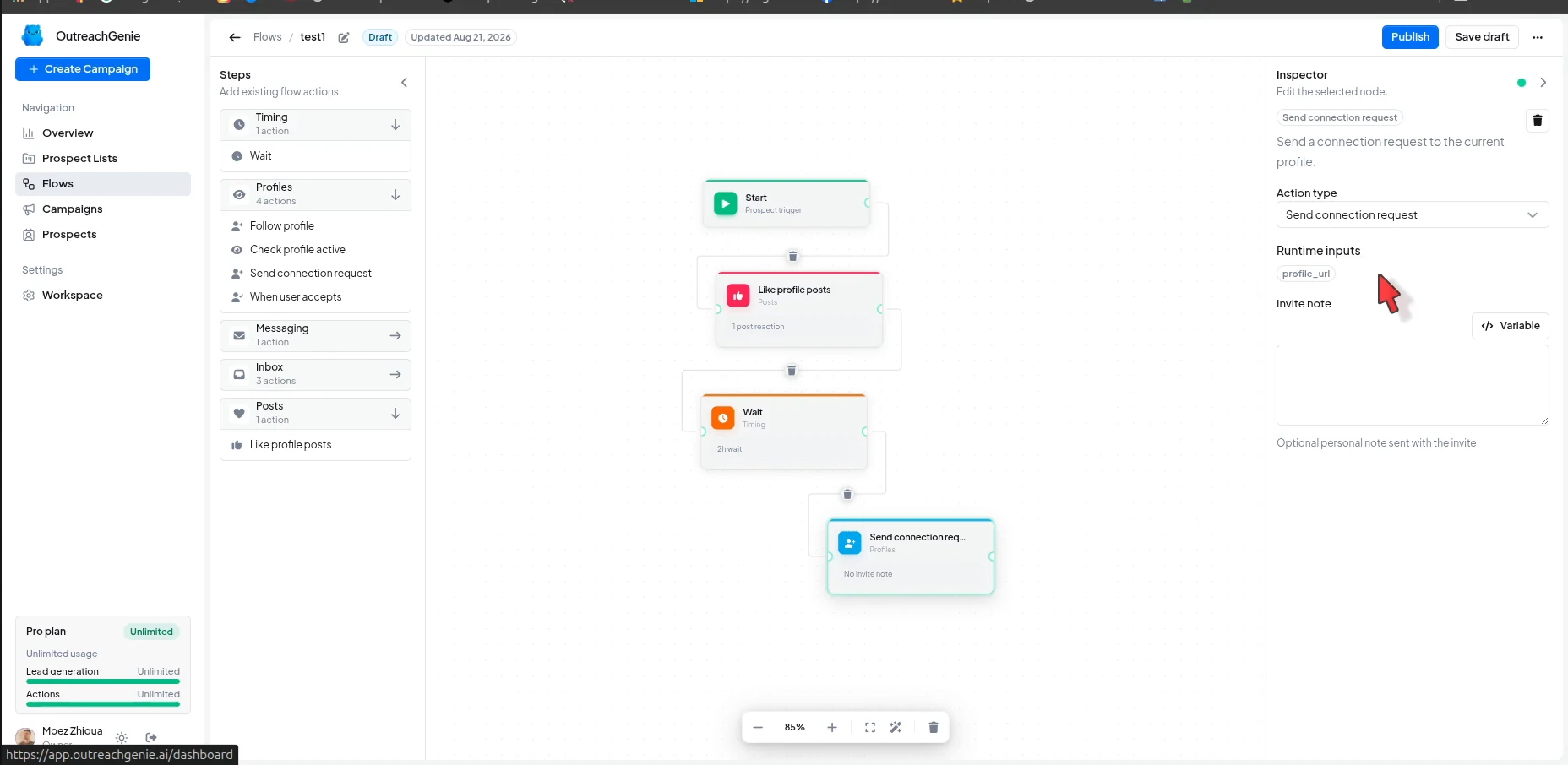
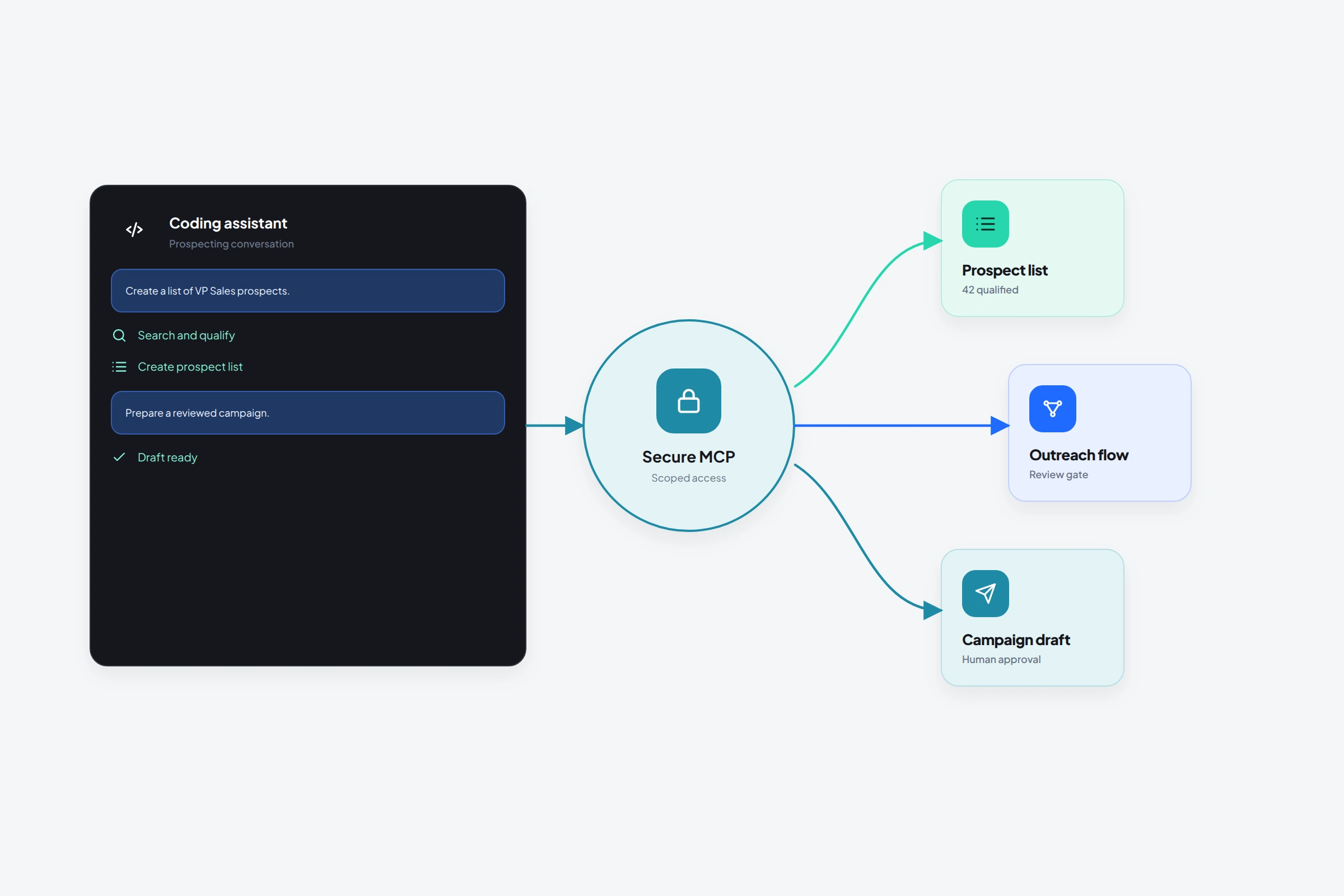
OutreachGenie handles execution state by joining a reviewed list to a reusable flow. AI can compare profile evidence with an inclusion rule, flag missing context, draft within a message boundary, or prepare reviewable workspace changes. Neither system should convert the ability to find a profile into permission to contact it.
05
How connection status and acceptance should control the flow
- 01
Create a list around one reason
Start from search, selected post engagement, individual profiles, or CSV. Name the list for the audience and event, such as Bootstrapped SaaS founders · first sales hire, rather than August leads.
- 02
Review every candidate
Confirm the current role, company, triggering evidence, prior relationship, and connection state. Remove profiles that survive only because of a title keyword.
- 03
Build the state-aware flow
Check connection status, send only on the eligible branch, wait for the actual acceptance event, and put Check reply immediately before any later follow-up.
- 04
Join the list and flow
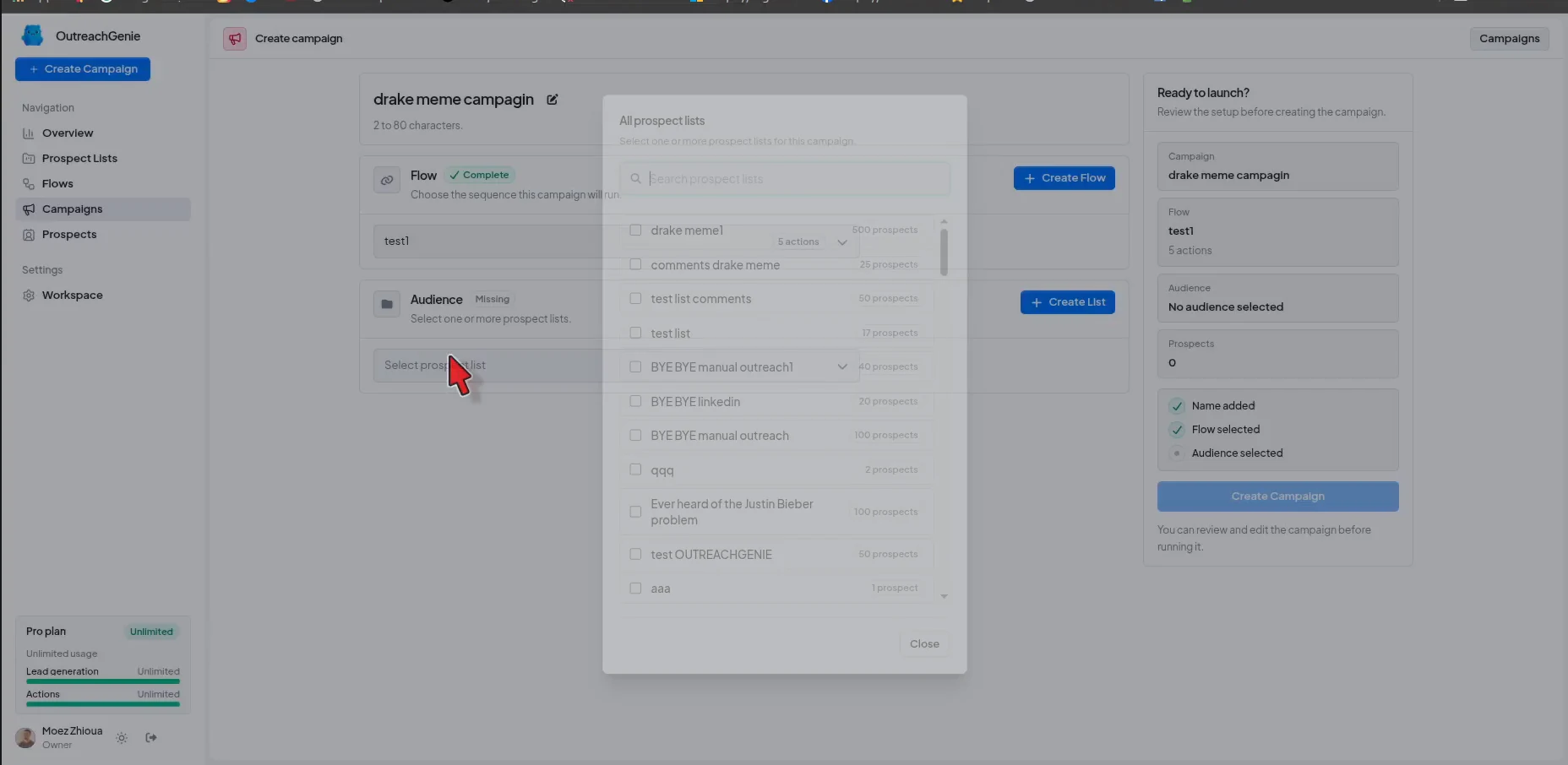
Inspect the audience-behavior combination. A good list and a good flow can still create a bad campaign when they were designed for different contexts.
- 05
Inspect the first run
Inspect record-level activity for unavailable profiles, wrong relationship states, bad branches, warnings, and messages inconsistent with the invitation. Expansion should follow evidence that the system responds correctly.
06
AI can express context; it cannot originate the evidence
A useful draft needs recipient evidence, sender relevance, and a defined job. A role change, post, event, initiative, introduction, or prior conversation supplies the evidence. The sender's experience, question, or resource supplies relevance. Invitation, first message, follow-up, and reply require different boundaries.
Ask AI to state the connection between those inputs before drafting. If it must guess, fluent copy only hides the missing research. Check the result against the source; specificity becomes more misleading, not more personal, when it is false.
LinkedIn draws a similar line in its own AI tools: Premium AI Writing Assistant and Sales Navigator Message Assist prepare drafts from available context and instruct the member to review before sending. Generation belongs to the product; judgment remains with the member.
07
Network growth is a compounding decision
A larger first-degree network can increase reach and access, but every accepted connection also consumes attention and a place in a network LinkedIn caps at 30,000. Following remains unlimited.
Connect when mutual access and a recognizable professional relationship make sense. Follow when discovery is the actual job. Read growth as reviewed candidates, delivered invitations, accepted invitations, relevant conversations, and useful outcomes; the failed transition reveals whether the source, sender, message, or offer is weak.
- Reviewed candidates
- Invitations sent
- Invitations accepted
- Relevant conversations
- Useful outcomes
08
Acceptance opens a channel; it does not create intent
A recipient may accept because of professional adjacency, curiosity, a real-world meeting, mutual contacts, or a permissive connection policy. None automatically implies interest in an offer. The first message still has to test whether the original subject matters.
The sender's profile participates in that decision. LinkedIn's 2022 InMail analysis associated complete profiles, buyer research, recent job changes, and recipient activity with higher acceptance. Those findings concern InMail, but the mechanism carries over: identity and message are inspected together. AI cannot draft around a profile that contradicts the approach.
09
What can restrict a LinkedIn account
LinkedIn does not publish an official daily allowance for third-party automation. Numbers supplied by automation vendors are operating opinions, not permission from LinkedIn.
- LinkedIn shows a warning, restriction, or verification challenge
- The source list contains systematic mismatches
- Duplicate or pending requests enter the eligible branch
- Acceptance is followed by a message that loses the promised context
- Replies continue into an automated follow-up path
- The only optimization idea left is to increase volume
Common questions
Questions that come up in practice
What is LinkedIn auto connect?
LinkedIn auto connect is a general label for software that prepares or sends connection requests from a list. It may describe a restricted official partner API or third-party browser automation. Those routes have different permissions and risks, so verify the mechanism before using the label as a product claim.
Can LinkedIn connection requests be automated?
Approved LinkedIn partners may use the restricted Invitations API. Third-party tools can technically automate the website, but LinkedIn says it does not allow browser extensions or software that automate activity on LinkedIn. Technical capability does not remove account-policy risk.
Can the LinkedIn API send a connection request?
LinkedIn documents an Invitations API that can create invitations, but access is restricted to approved partners. The separate Connections API reads first-degree connection data and should not be mistaken for general invitation-sending permission.
How should connection status and acceptance be handled?
Exclude existing and pending relationships before sending. Record the request as pending after delivery, wait for an actual accepted state, and only then allow a first-degree message. A time delay is not evidence that the invitation was accepted.
What can restrict a LinkedIn account?
LinkedIn can temporarily restrict invitations when limits are reached and asks members to disable third-party software that automates activity. Stop on any warning, restriction, identity check, or repeated targeting error rather than trying to work around it.
Can AI send LinkedIn connection requests for me?
AI can help research prospects, check a written targeting rule, draft short notes, and prepare reviewable OutreachGenie workspace resources. Browser sending still depends on the flow, extension, account state, and your settings. Keep a human approval point before launch.
Should every invitation include a note?
No. A note helps when it supplies real context. LinkedIn's current Help pages publish conflicting free-account allowances, so check the live interface and do not spend the available notes on templated praise or a compressed pitch.
How can I grow my LinkedIn network automatically?
Automate list organization and repeatable queue work while keeping relevance and approval under human review. Track accepted, relevant connections and conversations rather than the number of requests sent. Use Follow when mutual connection is unnecessary.
What is a safe number of invitations per day?
LinkedIn does not publish a universal safe threshold for third-party automation and says such automation is not allowed. Treat any vendor number as an opinion, not an official allowance.
Research used for this guide
- Automated activity on LinkedIn | LinkedIn Help
- Invitation limit reached | LinkedIn Help
- Personalize invitations to connect | LinkedIn Help
- Connecting with other members: best practices | LinkedIn Help
- Send a message using AI Writing Assistant | LinkedIn Help
- Use Message Assist to draft a message with AI | Sales Navigator Help
- Invitations API | Microsoft Learn for LinkedIn
- Connections API | Microsoft Learn for LinkedIn
- Build your professional network | LinkedIn Help
- Network size limit | LinkedIn Help
- What every InMail sent in 2022 told us | LinkedIn Sales Solutions
Try the workflow