
LinkedIn API access: permissions, partner programs and workspace integrations
API authority and integration selection
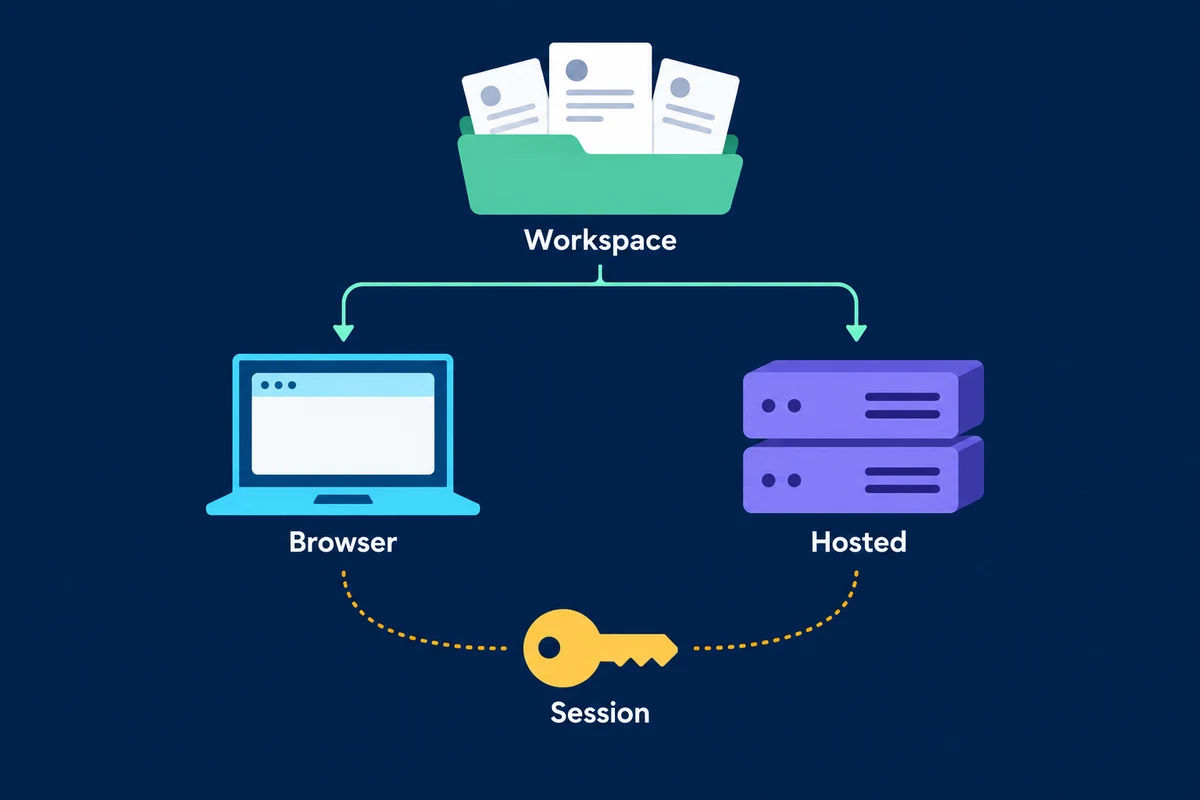
LinkedIn has official APIs, but creating a developer application does not grant access to every LinkedIn action or dataset. Access depends on the product, the application's approved permissions and, where required, the member's authorization. A Sales Navigator subscription and an OutreachGenie workspace connection are separate from native LinkedIn API approval.
Before choosing an integration, name the operation you need: sign a member into your service, publish an authorized member's post, work with advertising data, integrate Sales Navigator or manage records already in a prospect workspace. The phrase “LinkedIn API access” is too broad to specify any of those contracts.
Start with the product and permission
LinkedIn's Getting Access overview says its APIs use OAuth 2.0 and that most permissions and partner programs require explicit approval. It distinguishes open permissions from approval-gated programs.
| Integration task | Native route described by LinkedIn | Boundary to establish |
|---|---|---|
| Sign a member into your service | Sign In with LinkedIn using OpenID Connect | Provision the product and request the applicable identity scopes |
| Publish on an authenticated member's behalf | Share on LinkedIn, including w_member_social | The member authorizes the operation; this is not a general messaging or people-search permission |
| Advertising integration | Advertising API product and related marketing permissions | Apply through the Developer Portal and meet the relevant access requirements |
| Sales Navigator integration | Sales Navigator Application Platform, or SNAP | LinkedIn requires approved partner access for the listed sales permissions |
| Recruiting integration | Applicable talent partner program | Establish program eligibility and the specific integration contract |
This is an access map, not an exhaustive endpoint catalog. Some programs have additional tiers, agreements or restrictions. The overview also lists closed compliance permissions that cannot be requested; a permission appearing in a table does not mean it is available to a new application.
What the open sign-in permissions provide
The OpenID Connect documentation describes openid, profile and email. Its profile scope concerns the authenticated member's lite profile, such as their identifier, name and picture. The email fields are optional and may be absent.
That supports an application sign-in use case. It does not establish permission to search for arbitrary prospects, download another member's network or send invitations. LinkedIn also says this sign-in product does not verify a user's identity and should not be marketed as doing so.
The access overview describes enabling open products through the application's Products tab in the Developer Portal. Product provisioning and the user's authorization are separate requirements: a member agreeing to requested scopes does not turn an unapproved application into an approved partner.
If your task is posting on a member's behalf, inspect the Share on LinkedIn product and applicable endpoint documentation. Do not assume that a permission to publish a post also permits private messages, ad-account changes or company administration.
Sales Navigator and advertising have their own gates
LinkedIn's overview requires SNAP partner approval for its listed Sales Navigator permissions. These include analytics, display, CRM validation and matched profile information. They are named capabilities with different authorization models, not a general license to extract the Sales Navigator interface.
Buying Sales Navigator for a seller does not, by itself, establish that your application's partner request has been approved. If a supplier offers a native integration, ask which product, permission and program cover the exact read or write operation you need. Then verify its current availability for your agreement.
For advertising, the same overview directs developers to add the Advertising API product through the Developer Portal and obtain approval. It describes audiences permissions as a further request after becoming an approved Advertising API partner. Native ad integration should not be confused with a tool that sends personal outreach messages.
When the real task is moving records between Sales Navigator and an existing CRM, first inspect its documented integration options and eligibility. The Sales Navigator export guide distinguishes supported CRM features from CSV downloads and third-party capture. Those routes do not acquire interchangeable permissions merely because they concern the same person.
Invitation endpoints are not general developer access
The Invitations API documentation explicitly restricts use to approved partners under API-agreement limitations. It describes sending on behalf of the authenticated user.
An endpoint appearing in documentation is therefore not enough to build an invitation sender. You need the applicable approval and authorization before relying on it. Copying an example request or obtaining an ordinary access token does not supply that approval.
The connection-request guide keeps manual Connect, restricted partner API access and third-party website automation separate. LinkedIn's prohibited-software guidance still applies to software or extensions that scrape or automate its website. Calling such a product an API integration does not establish native authorization.
There is no universal native API price established here
The access overview is not a price sheet. It identifies permissions and application routes, but does not establish one per-request price or a single subscription that buys every API capability.
For a purchasing decision, separate the applicable LinkedIn program or product terms from the integration supplier's charges and your own operating costs. Ask which contract covers access, what usage conditions apply and what happens if approval or permissions change. Obtain the current commercial terms for that route rather than treating a vendor's monthly price as “the LinkedIn API cost.”
The same distinction prevents a free sign-in product from being presented as free access to all member data. No universal API price, unlimited allowance or approval timetable is promised by this guide.
What OutreachGenie's API and MCP connection authorize
OutreachGenie's developer resources describe its own workspace API and hosted MCP server. They support authorized work with prospect lists, records, flows and campaign preparation. MCP/API access is available on Free, while feature entitlements and plan allowances still apply.
The authentication instructions document workspace authorization, OAuth connections and workspace API keys. A token issued for OutreachGenie's service authorizes the permitted OutreachGenie operations; it does not grant your application a LinkedIn partner permission or replace LinkedIn's OAuth grant.
For example, an authorized assistant may inspect a saved prospect list and prepare a reviewed workspace change. That is different from receiving permission to call a restricted LinkedIn member-data endpoint. Show the intended change and use the workspace's actual permissions and approval process before making it.
OutreachGenie's product facts describe the paired Chrome extension performing LinkedIn-side actions under the signed-in browser session, while the backend stores workspace records and coordinates campaign state. This remains a third-party workflow subject to LinkedIn's rules. Connecting through MCP does not convert browser execution into an approved native LinkedIn API.
Use the MCP setup guide when that workspace connection is the task. Use LinkedIn's Developer Portal and product documentation when native API approval is the task. Record the operation, service, permission, authorized user or organization and applicable contract before deciding which integration to build.
Questions that come up in practice
Common questions
Does LinkedIn have an API?
Yes. LinkedIn documents multiple API products and partner programs. Access depends on the requested operation, provisioned permissions, applicable program approval and authorization. A developer app does not automatically receive permission for every LinkedIn dataset or action.
How much does LinkedIn API access cost?
The access overview is not a universal price sheet. Check the current terms for the specific LinkedIn product/program and distinguish those from an integration supplier's subscription or operating charges. A vendor's monthly price is not a universal native LinkedIn API price.
Does a Sales Navigator subscription grant API access?
Buying a seller subscription does not establish that an application's SNAP partner request is approved. LinkedIn's overview requires partner approval for its listed Sales Navigator permissions. Verify the actual integration program, permission and agreement.
Can a normal LinkedIn developer app send invitations?
LinkedIn's Invitations API is explicitly restricted to approved partners under API-agreement limitations. A documented endpoint or ordinary access token is not evidence that a new application is authorized to use it.
Does OutreachGenie's MCP server grant LinkedIn API permissions?
No. It provides authorized tools for the OutreachGenie workspace. Native LinkedIn approval and scopes belong to LinkedIn's own products and programs. LinkedIn-side extension actions remain a separate third-party browser workflow subject to LinkedIn's policies.
Do OpenID Connect scopes provide a prospect email database?
No. LinkedIn's sign-in scopes concern the authenticated member's identity information, not arbitrary prospect search. Its documentation also says email fields are optional. Do not treat member sign-in consent as permission for unrelated data collection.
Research used for this guide
- Getting Access to LinkedIn APIs | Microsoft Learn for LinkedIn
- Sign In with LinkedIn using OpenID Connect | Microsoft Learn for LinkedIn
- Invitations API | Microsoft Learn for LinkedIn
- Prohibited software and extensions | LinkedIn Help
- OutreachGenie developer resources | OutreachGenie
- Agent authentication instructions | OutreachGenie
Inspect OutreachGenie's API and MCP documentation
Next step