
Is the LinkedIn prospecting tool free?
Yes. OutreachGenie is free forever. No paid plan and no product-side quota on invites, messages, visits, lists, or flows. LinkedIn's platform limits still apply. See the pricing page for the full breakdown.
Free LinkedIn prospecting tool
Save people from LinkedIn search, profiles, post engagement, or CSV. Review who fits, then choose when to start outreach.
Free forever. LinkedIn limits still apply. See pricing.
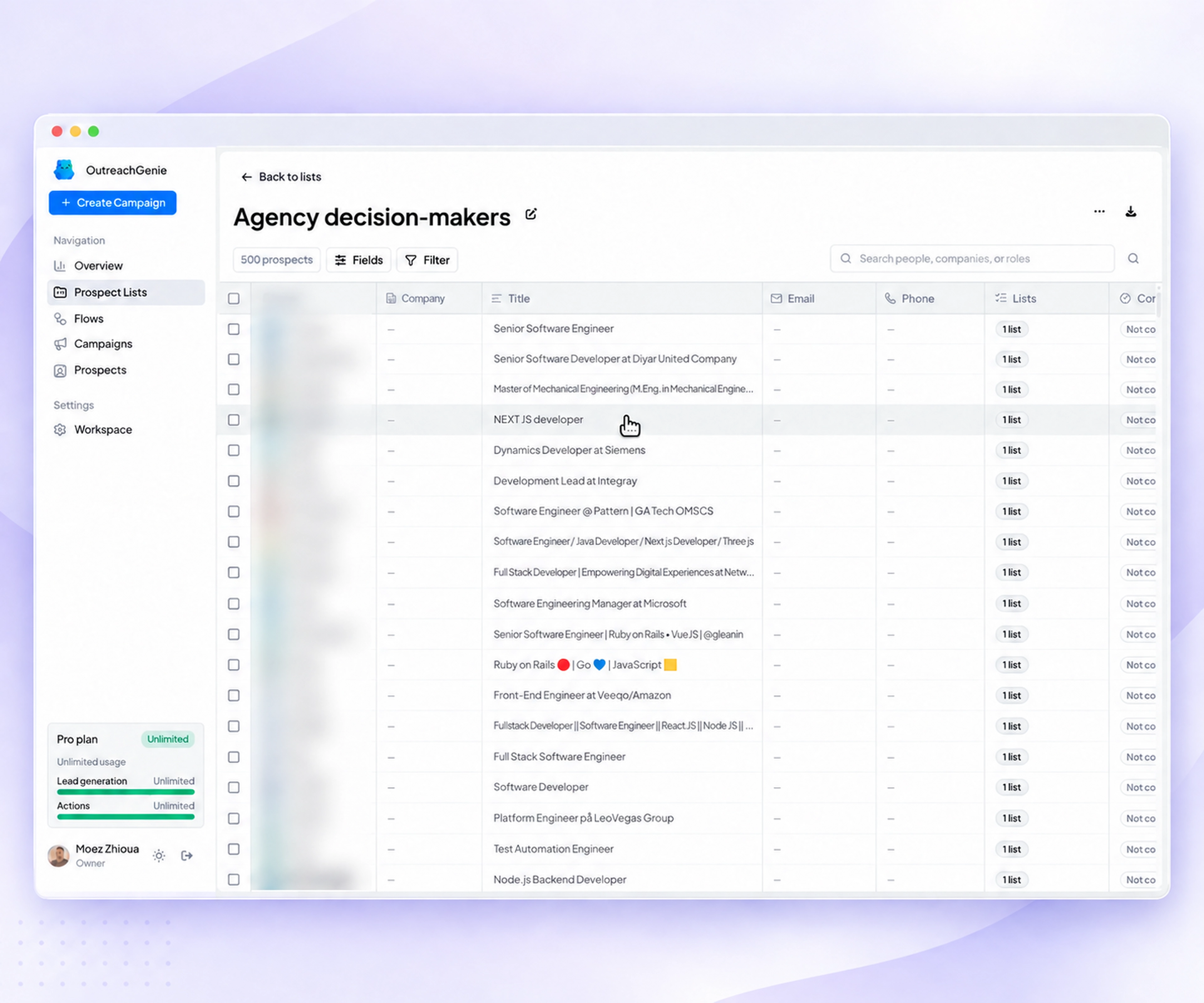
Before your first list
Capture from LinkedIn profiles, search, post engagement, or CSV; organize lists and notes; build flows; and review campaign progress. The software has no paid plan or billing quota on these actions. Our done-for-you service is separate.
Read the free pricing breakdownWorkspace action limits and waits still control execution. LinkedIn restrictions and account eligibility still apply. Send message and Message sequence require first-degree connections. A saved profile is not a verified email address or permission to contact someone.
Check messaging eligibility and follow-upsOpen a LinkedIn profile, choose Add prospects in the companion, then choose Save current profile, select a destination list, and add a factual note explaining the fit. Review the saved record in the web app before creating a campaign. Saving the profile does not send an invitation or message.
Follow the profile-to-list walkthroughStart with a source
The source tells you what a profile might have in common with your market. It does not prove fit. OutreachGenie keeps capture and qualification separate so that assumption stays visible.
Start from a people search with a clear role, company type, location, or market trigger.
See the workflowSave the profile while the useful detail is still visible, including the list and note you will need later.
See the workflowImport commenters or reactors, then check whether the person and the topic actually match your market.
See the workflowBring in a prepared list, map the fields, keep the LinkedIn URL, and review the result before campaign setup.
See the workflowA reviewable prospecting loop
A useful prospecting system should let you stop after any step, inspect the work, and change the decision without rebuilding the whole campaign.
Describe who belongs and why in one sentence. If the rule is hard to explain, the source is still too broad.
Use the browser companion beside LinkedIn or import a CSV. Begin with an amount you can inspect profile by profile.
Check current role, company, location, duplicates, existing conversations, and the source signal before outreach.
Connect the clean list to a visible flow. Review waits, invitations, reply checks, and messages before launch.
Use campaign analytics to see what ran, what remains, and where a reply or warning should stop the sequence.
Suppose you sell project handoff software to U.S. agencies. A useful list rule could be: operations leaders at agencies with 20 to 100 employees that are hiring project managers. This is an illustrative targeting exercise, not a customer result.
OutreachGenie keeps the profiles and list organized; you verify the buying context. For a repeatable starting point, follow the LinkedIn search import guide.
Choose by the job
Before choosing a tool, use a client brief to test the reviewed output, failure cases, and handoff. Keep unresolved requirements visible before committing to a plan.
Native LinkedIn search, spreadsheets, enrichment tools, and outreach workspaces solve different parts of the process. Pick the missing job instead of buying a second copy of one you already handle.
OutreachGenie is software for a team doing its own prospecting, not a done-for-you appointment-setting service. If you only need native search filters, start with LinkedIn. If you need verified email addresses, assess an enrichment provider separately; a saved LinkedIn profile is not a verified email record.
LinkedIn or Sales Navigator
Finding people with native profile and company filters
A spreadsheet
Simple review and handoff when the list is small and outreach is manual
An enrichment provider
Adding verified business contact data when the workflow needs it
OutreachGenie
Keeping LinkedIn sources, lists, notes, flows, campaigns, and browser execution connected
Account risk stays visible
LinkedIn says third-party software and browser extensions that scrape, modify, or automate activity on its website are not allowed. OutreachGenie cannot make that policy disappear. Read the current guidance, keep batches small enough to review, and stop if the account shows a warning, verification prompt, or restriction.
Read LinkedIn's automated activity policyLinkedIn prospecting questions
Yes. OutreachGenie is free forever. No paid plan and no product-side quota on invites, messages, visits, lists, or flows. LinkedIn's platform limits still apply. See the pricing page for the full breakdown.
Sign in to an OutreachGenie workspace, install the Chrome companion on a desktop browser, connect it to that workspace, and sign in to LinkedIn in the same browser. You can review saved lists before starting a campaign. Sales Navigator is optional.
No. Free access removes billing quotas, not execution controls or LinkedIn restrictions. Workspace action limits, waits, and account eligibility still affect what runs. Send message and Message sequence use first-degree connections; saving a profile does not make someone eligible for a direct message. LinkedIn can restrict automated activity.
A prospecting tool helps you collect profiles from a defined source, organize them into lists, keep the source context, review fit, and prepare the next outreach step. It should make the work easier to inspect, not remove the decisions that require judgment.
No. OutreachGenie can start from regular LinkedIn people search, individual profiles, post comments, post reactions, or a CSV. Sales Navigator may provide additional native filters, but it is not required.
No. Capture, qualification, flow setup, and campaign launch are separate steps. You can save and review a prospect without sending an invitation or message.
Yes. LinkedIn says third-party software and browser extensions that scrape or automate activity are not allowed. Review LinkedIn's current policy before using any automation tool and stop if the account shows a warning or restriction.
Save your first prospects, check who fits, and choose the next step. Saving a prospect does not start a campaign.
Start prospecting freeFree forever. LinkedIn limits still apply.