
Visual outreach flows
How to build a LinkedIn outreach flow that behaves like a real process
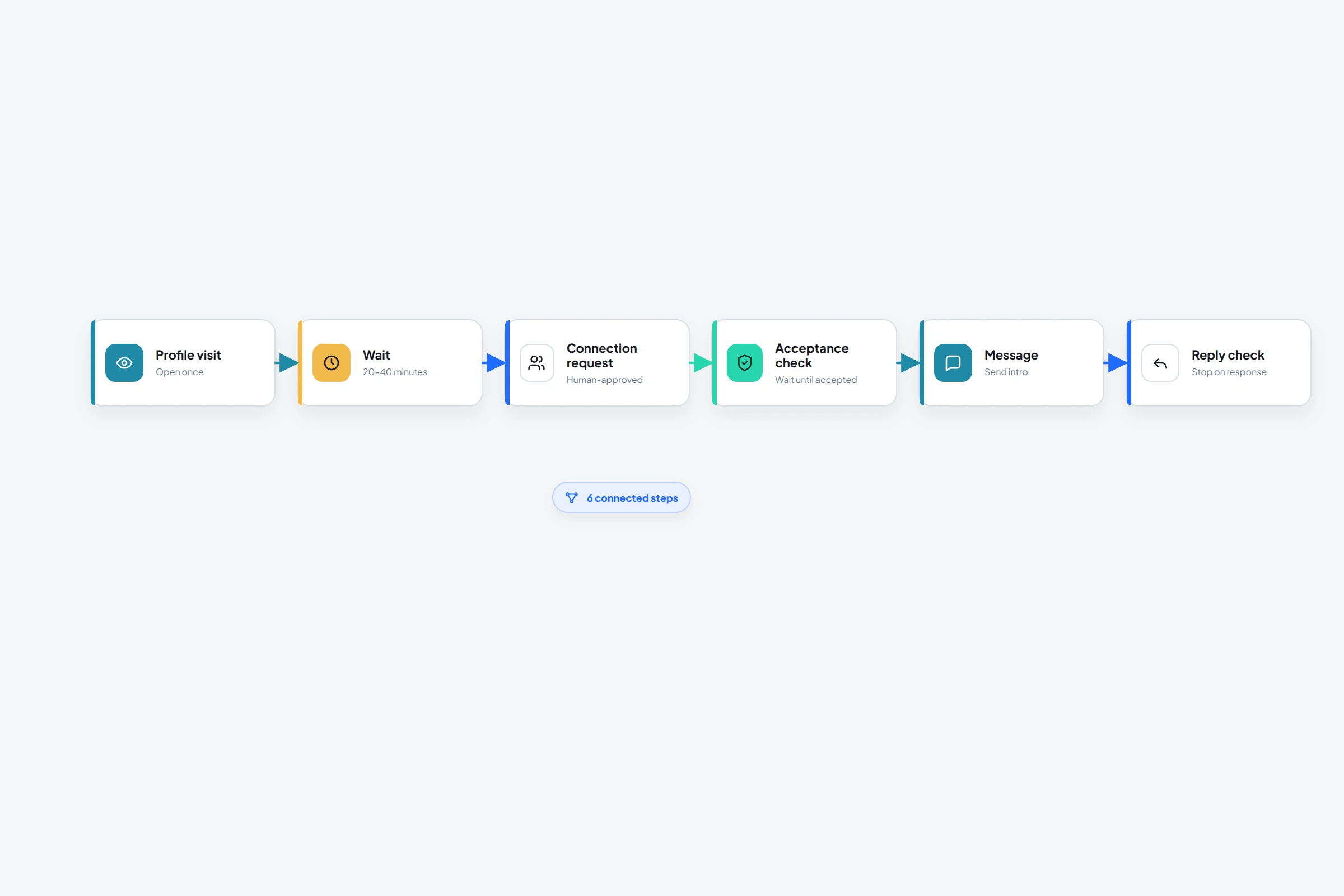
Start with decisions, not messages. What should happen if someone isn't connected? What changes after they accept? What happens when they reply?
OutreachGenie's visual editor puts each answer on the canvas, so you can review the path before a real prospect enters it.
A useful flow may be short. Length is a poor substitute for a clear reason behind every step.
01
Write the process in plain language first
Before opening the editor, write a six-line version of the workflow. For example: visit the profile, wait, send an invitation, wait for acceptance, send one contextual message, stop if they reply.
If you can't explain why a step exists, leave it out. A profile like or comment should build relevant familiarity, not decorate the sequence so it looks sophisticated.
02
Build the flow from visible blocks
- 01
Start with a profile-aware action
Visit the profile, check connection state, follow the person, or check whether they have recent activity when that information changes the next step.
- 02
Add the connection decision
Send a connection request only for the branch that needs one. Use When user accepts before attempting a first-degree message.
- 03
Add waits with a reason
A wait should give the person time to notice, accept, or reply. It shouldn't be a cosmetic pause between actions that still arrive too close together.
- 04
Stop on human response
Use reply checks before later follow-ups. Once a person replies, move the conversation out of the automated path.
03
A practical starter flow
The dates are not universal rules. The point is to make every action and wait visible so you can judge the sequence as a recipient would experience it.
- Day 1: Visit profile
- Day 2 or later: Send connection request when relevant
- When accepted: Wait before the first message
- Send one contextual message with one clear question
- Check for a reply before any follow-up
- End after one useful follow-up if there is no response
04
Test the branches as carefully as the copy
Create a tiny test list containing profiles with different states: already connected, pending, not connected, and able to reply. Confirm that the flow follows the correct branch and that stopping behavior works.
LinkedIn says automation through third-party software or browser extensions isn't allowed. A well-designed flow can reduce mistakes and unwanted follow-ups, but it doesn't remove platform-policy risk.
Common questions
Questions that come up in practice
What actions can an OutreachGenie flow use?
Flows include waits, connection and activity checks, profile visits and follows, connection requests, acceptance waits, messages, conversation and reply checks, post reactions and comments, engagement-based prospect capture, and invitation withdrawal.
Can I reuse the same flow?
Yes. A flow is a reusable sequence. Campaigns connect a chosen flow to a chosen prospect list.
How long should a LinkedIn outreach flow be?
Long enough to express the real decision path, but short enough that every step still adds value. More touches are not automatically better.
Research used for this guide
Try the workflow