
Review, launch, inspect
LinkedIn automation tool that runs from your browser.
Turn a reviewed list into a visible LinkedIn outreach flow. Set the pace, launch the campaign and inspect what happened. OutreachGenie's paired Chrome extension performs LinkedIn-side steps under your signed-in session.
80 outreach actions and 500 new prospects a week. No card.
LinkedIn prohibits third-party automation.
LinkedIn prohibits software and extensions that scrape or automate activity. Review its prohibited software policy and automated activity guidance. Browser execution does not remove account-restriction risk. Stop on warnings or restrictions. OutreachGenie is not affiliated with LinkedIn.
From list to campaign, with decisions in view.
Start with people you have qualified. The LinkedIn prospecting tool covers collection and list review; this workflow covers what runs after you choose the audience.
Choose the people
Attach a reviewed prospect list. Check current roles, source context and existing conversations. Remove weak matches and people who asked not to be contacted before the campaign starts.
Build the flow
Arrange profile visits, waits, invitations, messages and reply checks in the visual builder. Write a reason for each follow-up. Send message and Message sequence require first-degree connections; a saved profile alone is not eligible.
Review and launch
Check the list, message variables, conditions and execution limits before launch. A running campaign proceeds under its configuration; you do not approve every action again. Approval does not establish LinkedIn's permission.
Follow the result
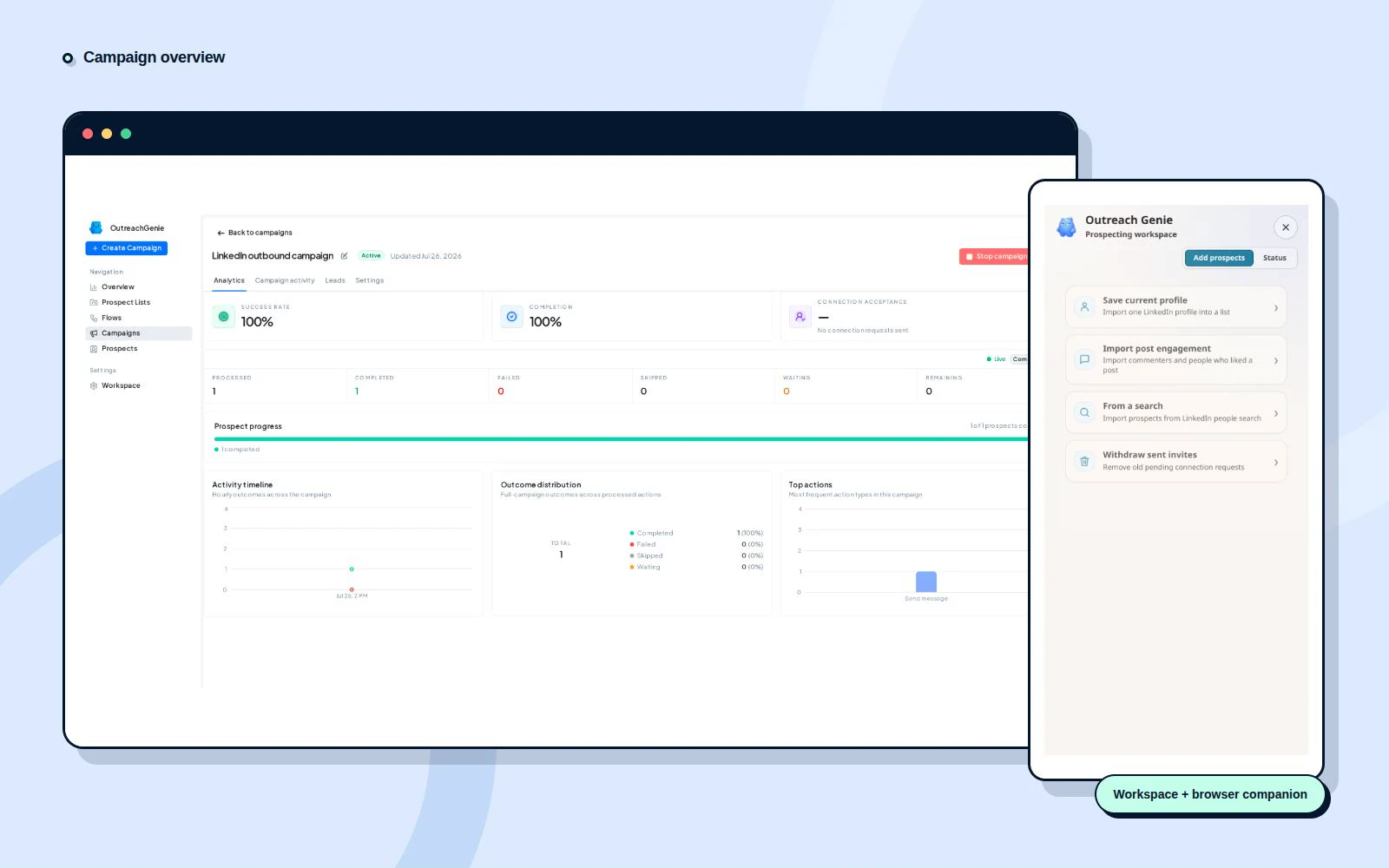
Inspect completed actions, pending work, replies and errors in the campaign workspace. Pause to investigate unexpected activity or a changed brief. Read the conversation before deciding what should happen next.
Sketch the sequence first with the free outreach sequence planner.
Limits are controls, not permission.
Volume limits
Daily caps and rolling-window limits bound action volume. Weekly execution caps remain separate from your plan allowance. Raising a cap is not evidence that LinkedIn permits that activity level.
Pacing and waits
Global spacing and per-action cooldowns control how far apart actions run. Wait steps and reply checks shape the sequence. Review their configuration instead of assuming every follow-up stops on any reply.
Campaign visibility
Use campaign status and activity to distinguish completed, waiting, skipped and failed work. A pause is a point to inspect the cause and remaining steps, not a reason to restart blindly.
Scheduled campaigns use active days, a timezone, a daily start and an optional end time. Due work outside that window waits for the next opening. Actions already dispatched may still finish after the window closes, so the cutoff is not a guarantee of zero activity.
Read the automation limits guideCompare the executor, not the label.
A cloud dashboard does not tell you where LinkedIn actions run. An extension can also support a hosted executor. OutreachGenie's backend stores workspace records and coordinates campaign state; its paired extension runs LinkedIn-side actions. Cloud execution and adaptive AI prospecting have not shipped.
| Compare | OutreachGenie today | For a cloud provider, verify |
|---|---|---|
| LinkedIn execution | Paired Chrome extension under your signed-in session. | A hosted executor, if that is what the selected plan provides. |
| Account access | Sign in to LinkedIn in the paired browser. | Verify the connection method and any password or session information transferred. |
| Stored records | Prospects, lists, flows, campaigns and results in the backend workspace. | Ask which workspace records, session data and activity logs the provider retains. |
| Runtime dependency | The paired browser, extension, signed-in session and backend services. | The provider's runtime and valid account access; confirm local-device requirements. |
Neither architecture establishes LinkedIn authorization or a lower restriction risk. Use the cloud versus browser comparison to review access, runtime dependencies and interruption handling.
Connect the browser. Start with a small list.
- Create an OutreachGenie workspace and sign in.
- Install the Chrome companion on desktop and pair it with that workspace.
- Sign in to LinkedIn in the same browser. Review the list, flow and limits before starting a campaign.
Free is a working plan.
Free includes 80 outreach actions and 500 new prospects a week, with no credit card. Outreach actions include invitations, messages, likes, comments and follows. The allowance resets Monday UTC; campaign steps beyond it wait for the next week. Lists, flows, campaigns and profile visits are unlimited.
Pro costs $15 a month or $150 a year, removes both product weekly quotas and adds in-product AI and 12 weeks of campaign history by message. Agency costs $20 per connected LinkedIn account a month. Daily controls and LinkedIn limits still apply.
Can campaigns run with my laptop off?
Do not plan on it. LinkedIn-side actions need the paired browser and extension runtime to be available with a valid signed-in session. OutreachGenie's cloud execution has not shipped. Check pending work and campaign state after an interruption before resuming.
Does all campaign data stay on my device?
No. The backend stores workspace prospects, lists, flows, campaigns and results. The extension performs LinkedIn-side actions and reports status. Browser execution describes where those actions run; it is not a claim that the product has no server-side data or coordination.
Does Pro remove all outreach limits?
Pro removes OutreachGenie's Free weekly outreach and new-prospect quotas. Daily controls, execution pacing, account eligibility and LinkedIn's own restrictions still apply. A paid plan does not guarantee that an action can run or that a prospect will reply.
Can I connect an AI assistant on Free?
Yes. MCP, API keys and Zapier access are available on Free, subject to workspace authorization, plan allowances and feature entitlements. That access is separate from paid in-product AI features such as writing help and the Meo Agent flow step.
Do I approve every action before it runs?
Review the audience, flow and messages before launching. After launch, the campaign runs under its configured conditions and limits rather than requesting fresh approval for every action or batch. Keep reviewing results and pause the campaign when the audience, offer or conversation changes.
Can one workspace connect several LinkedIn accounts?
Agency supports several connected LinkedIn accounts, with one seat per account and controls for each account. Each teammate connects their own LinkedIn through the extension, and that account's actions run from their browser. Free and Pro connect one LinkedIn account per workspace.