
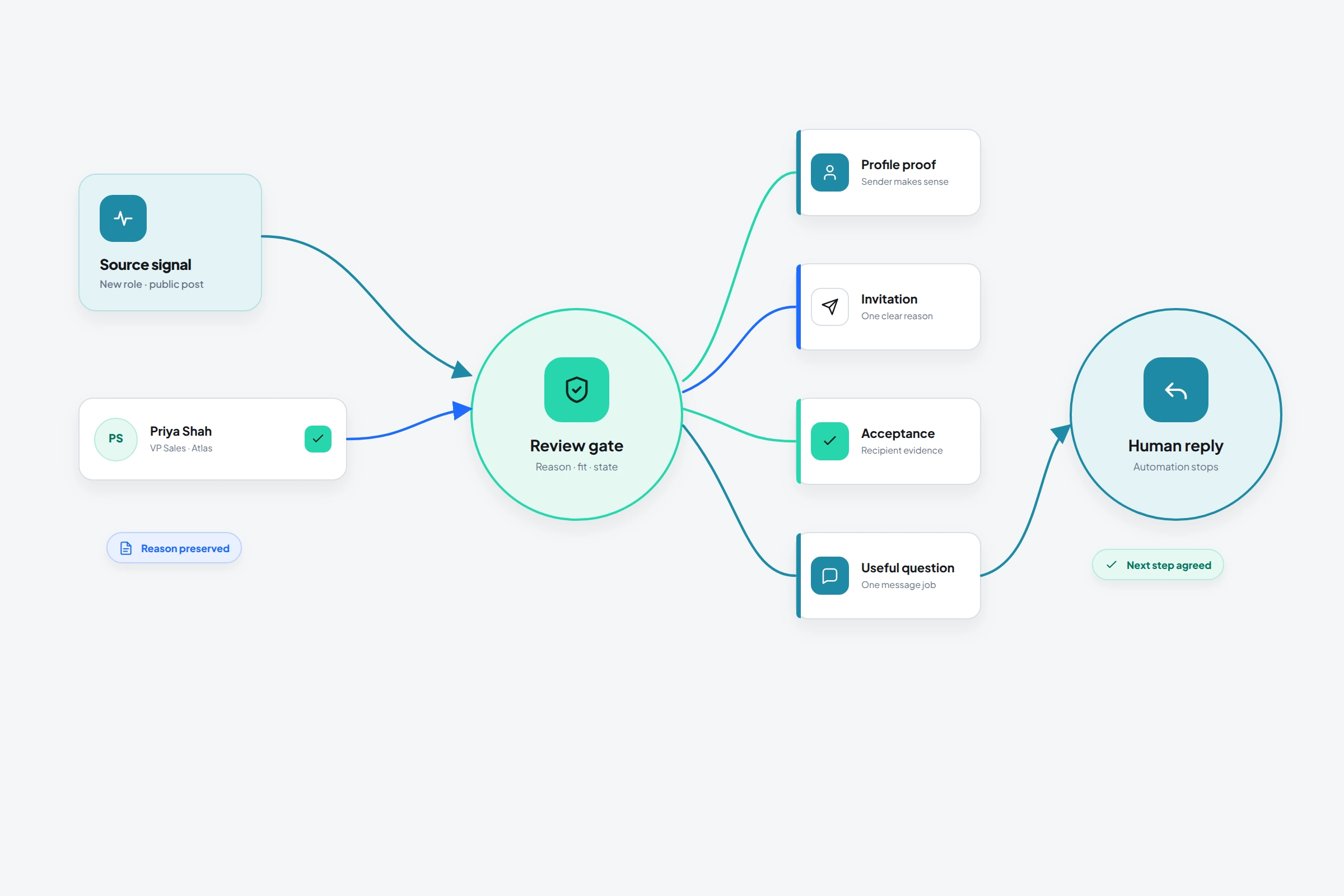
LinkedIn should make outreach more specific than cold email. The platform exposes the recipient's role, work history, public activity, mutual connections, and company context; it exposes nearly the same information about the sender. Yet much of that context is used to feed larger lists into generic sequences.
The contradiction comes from treating LinkedIn as a messaging channel. It is also a professional database, an identity surface, and a relationship state system. Search determines who can be found, the profile affects whether the approach is credible, and recipient behavior determines which action is appropriate next.
01
The message is downstream of the decision
Most outreach reviews begin with copy because copy is visible and easy to replace. That can improve a sound campaign. It also allows a weak source, mismatched audience, or unrelated sender to survive without examination.
The chain begins with a source, moves through candidate approval and sender credibility, and only then reaches the channel and message. Every transition contains a claim. If the source is wrong, personalization decorates the mismatch; if the profile contradicts the subject, warmer language cannot supply credibility.
LinkedIn makes this dependency unusually visible. A recipient can inspect the sender's headline, work history, featured material, recent posts, mutual relationships, and company page before accepting or replying. Identity and message are evaluated together.
02
Timing comes from an event, not the campaign calendar
A job title explains how someone entered a search. It rarely explains why they should hear from you this week. A useful source changes the decision: a new role, hiring plan, public question, product launch, event conversation, introduction, engagement with your material, or previous exchange.
LinkedIn's Sales Navigator guidance separates the right account, person, message, and time. The broader lesson does not depend on Sales Navigator: preserve what changed and test whether it matters.
The standard is stronger than “Can I mention a profile fact?” Ask whether the fact changes the reason to contact this person. Specificity without relevance is decoration.
03
A smaller approved list can contain more information
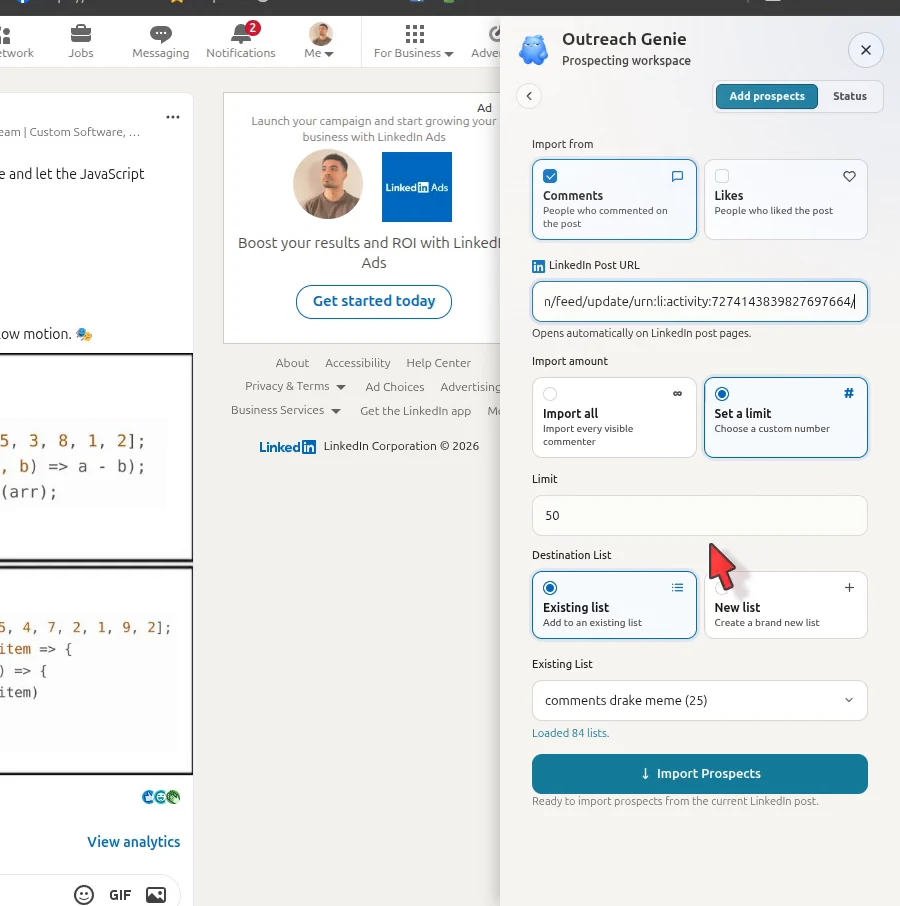
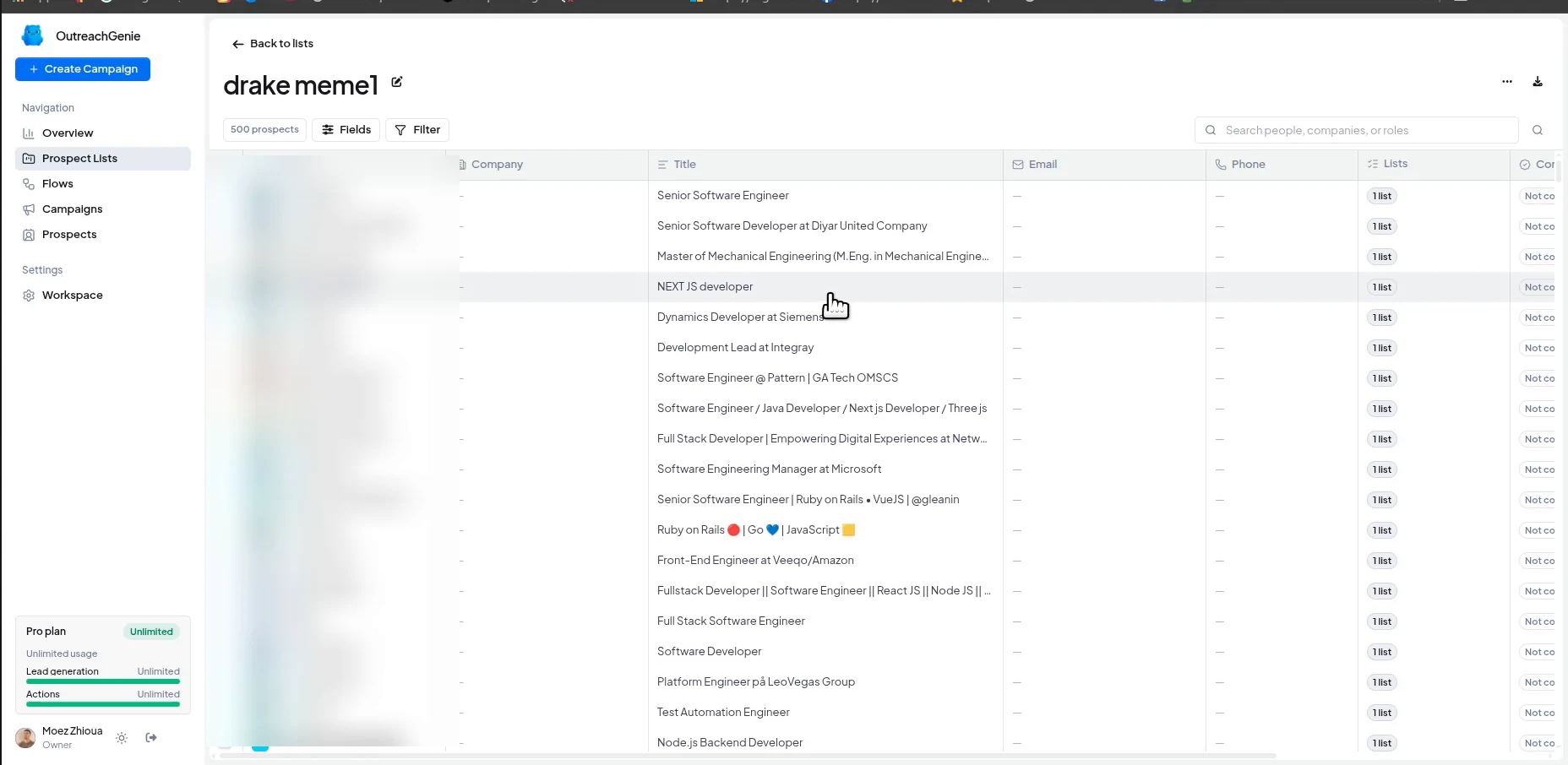
Importing prospects raises a visible count. Approval often feels slower because it removes people, but it adds the information the later workflow needs. Write an inclusion rule another person can apply, then open profiles and remove customers, active opportunities, existing connections, pending requests, stale roles, duplicates, and records whose triggering evidence no longer survives inspection.
OutreachGenie can collect candidates from LinkedIn search, individual profiles, post comments and reactions, or CSV. Keep the source attached to each prospect while a named list records the audience decision.
- Current role and company still match the rule
- The source changes the decision to contact this person now
- The person is not already connected, pending, duplicated, or owned by another motion
- The sender can state a relevant next conversation without guessing
04
The channel should reflect the current relationship
- 01
Follow
Follow when the goal is to read someone's public work without requesting mutual access. LinkedIn allows unlimited following even though first-degree connections are capped at 30,000.
- 02
Public comment
Comment when the contribution belongs in the thread and remains useful even if no private conversation follows. Generic praise written to manufacture recognition fails that test.
- 03
Connection request
Connect when a professional reason supports mutual access. A note can locate that reason; compressing a pitch and calendar request into it spends more trust than the relationship contains.
- 04
First-degree message
Message after acceptance when you can continue the subject that earned the invitation. Acceptance opens the channel without establishing commercial intent.
- 05
InMail
Use InMail when direct contact without a connection is justified and available. Sales Navigator sends InMail individually and recommends personalization toward likely respondents.
05
One message should create one new piece of evidence
An invitation locates the reason to connect. A first message opens the relevant subject. A follow-up contributes information or closes the loop. A reply addresses what the person actually said. Combining those jobs produces the familiar personalized pitch: a reference to the recipient followed by an unrelated amount of commitment.
A narrow invitation might say: “Hi Sam, your point about onboarding exceptions getting lost between HubSpot and Slack was familiar. I work on the workflow side of that problem. Happy to connect.” After acceptance, one question can test the apparent issue: “When an exception leaves HubSpot, is the harder part finding an owner or keeping the customer history attached?”
Either answer changes what follows. If Sam replies, the sequence stops and the conversation governs the next action. Without a reply, one later message may add an observation or offer the relevant resource. “Just checking in” creates no new evidence.
06
A sequence is useful when it can change its mind
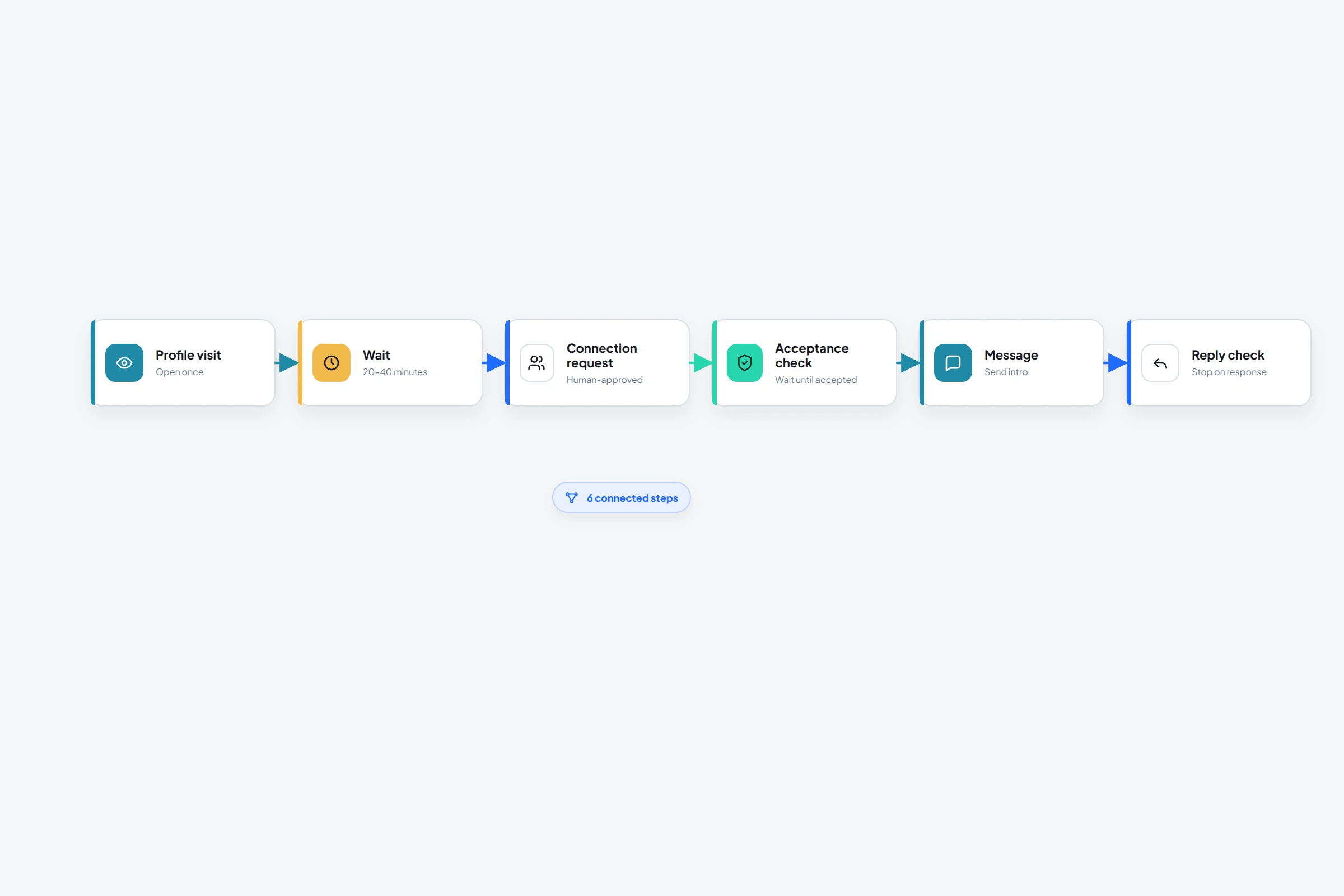
OutreachGenie separates lists from flows, then joins one reviewed audience to one behavior in a campaign. That final view makes the audience-behavior combination inspectable before the extension executes browser actions.
- 01
Save the source and review the profile
Keep the post, event, introduction, role change, or prior exchange that explains the candidate.
- 02
Check the connection state
Separate existing, pending, incoming, and eligible profiles before attempting a request.
- 03
Wait for acceptance
Use When user accepts before a first-degree message. Acceptance is evidence supplied by the recipient; a timer is evidence supplied by the calendar.
- 04
Ask one contextual question
Let the first message continue the reason for connecting instead of replacing it with the seller's pitch.
- 05
Check for a reply at the last responsible moment
Put Check reply immediately before each later send. A check performed before a multi-day wait may be stale by the time the follow-up is due.
07
Metrics should identify the broken assumption
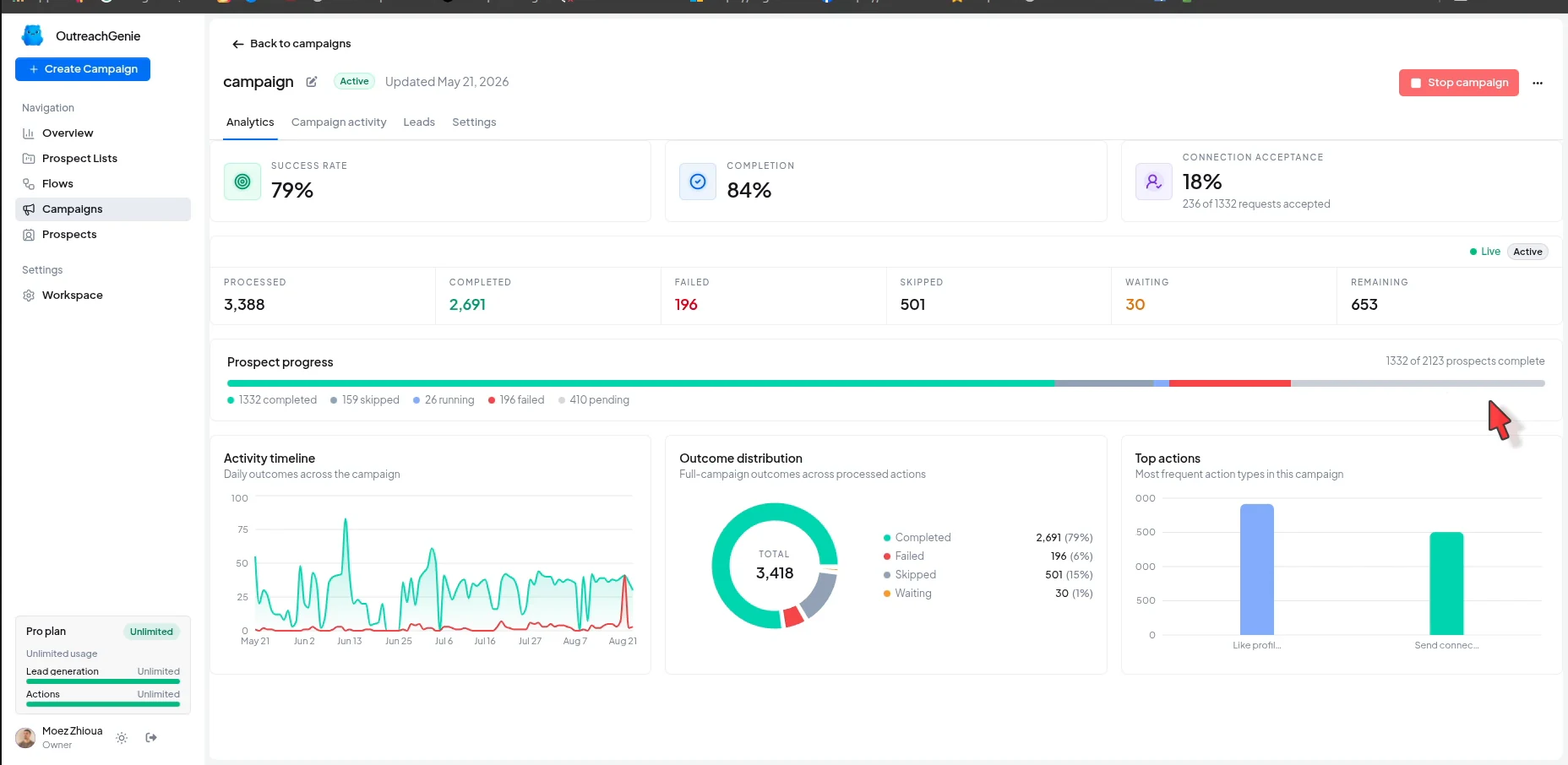
Measure candidate profiles, approved prospects, successful delivery, acceptance or replies, relevant replies, and agreed next steps in the same order as the system. Each transition tests a different claim.
Approval tests the source and audience rule. Delivery tests the data, browser, account state, and channel. Acceptance tests recognition, sender credibility, and the invitation. Relevant replies test the problem and first-message assumption; agreed next steps test the offer and conversation handling.
These ratios diagnose your process rather than provide universal benchmarks. Change the earliest weak input first. Rewriting several downstream elements at once produces a new campaign with no interpretable lesson.
08
The governing constraint is recipient evidence
The sender controls research, approval, profile quality, channel selection, and the initial approach. The recipient controls acceptance, reply, refusal, referral, and willingness to continue. Automation should not manufacture evidence that belongs to the recipient.
At every transition, ask what new information permits the next action. A real state change can advance the workflow. When only the date changed, the next message must add something useful or the path should end.
Common questions
Questions that come up in practice
What is LinkedIn outreach?
LinkedIn outreach is the process of finding a relevant professional, choosing an appropriate LinkedIn channel, starting a contextual conversation, and tracking whether the person accepts, replies, or asks to continue. It can include public engagement, invitations, first-degree messages, and InMail.
How do I use LinkedIn for outreach effectively?
Start with a live reason to contact a defined audience, review each profile, make the sender profile support the approach, choose the channel according to relationship state, and stop automation on any reply. Diagnose the earliest weak transition before rewriting copy.
Should I engage with posts before connecting?
Only when the contribution is useful in the public discussion. Do not schedule generic likes or comments to manufacture familiarity. Strong existing context can justify a direct invitation or message.
How many LinkedIn follow-ups should I send?
There is no universal count. This workflow allows one unanswered follow-up when it adds new information, then ends. Stop immediately on a reply, decline, objection, restriction, or evidence that the audience premise is wrong.
Should I automate LinkedIn outreach?
Automation can organize lists, enforce states, schedule repeatable actions, and record results. LinkedIn says third-party tools that automate website activity are not allowed, so there is platform risk. Keep targeting, approvals, unusual profiles, and real conversations under human control.
What should I measure first?
Measure from the beginning of the chain: candidate quality, approval, delivery, acceptance, relevant replies, and agreed next steps. Fix the earliest weak transition because downstream copy cannot repair an upstream mismatch.
Research used for this guide
- How to prospect with Sales Navigator | LinkedIn Sales Solutions
- What every InMail sent in 2022 told us | LinkedIn Sales Solutions
- Researching prospects is key | LinkedIn Sales Solutions
- Social selling guide | LinkedIn Sales Solutions
- Build your professional network | LinkedIn Help
- InMail messages in Sales Navigator | LinkedIn Help
- Automated activity on LinkedIn | LinkedIn Help
- What is social media prospecting in sales? | Salesforce
Try the workflow