
Import prospects from reactions
How to export LinkedIn post likers and qualify the people behind the reactions
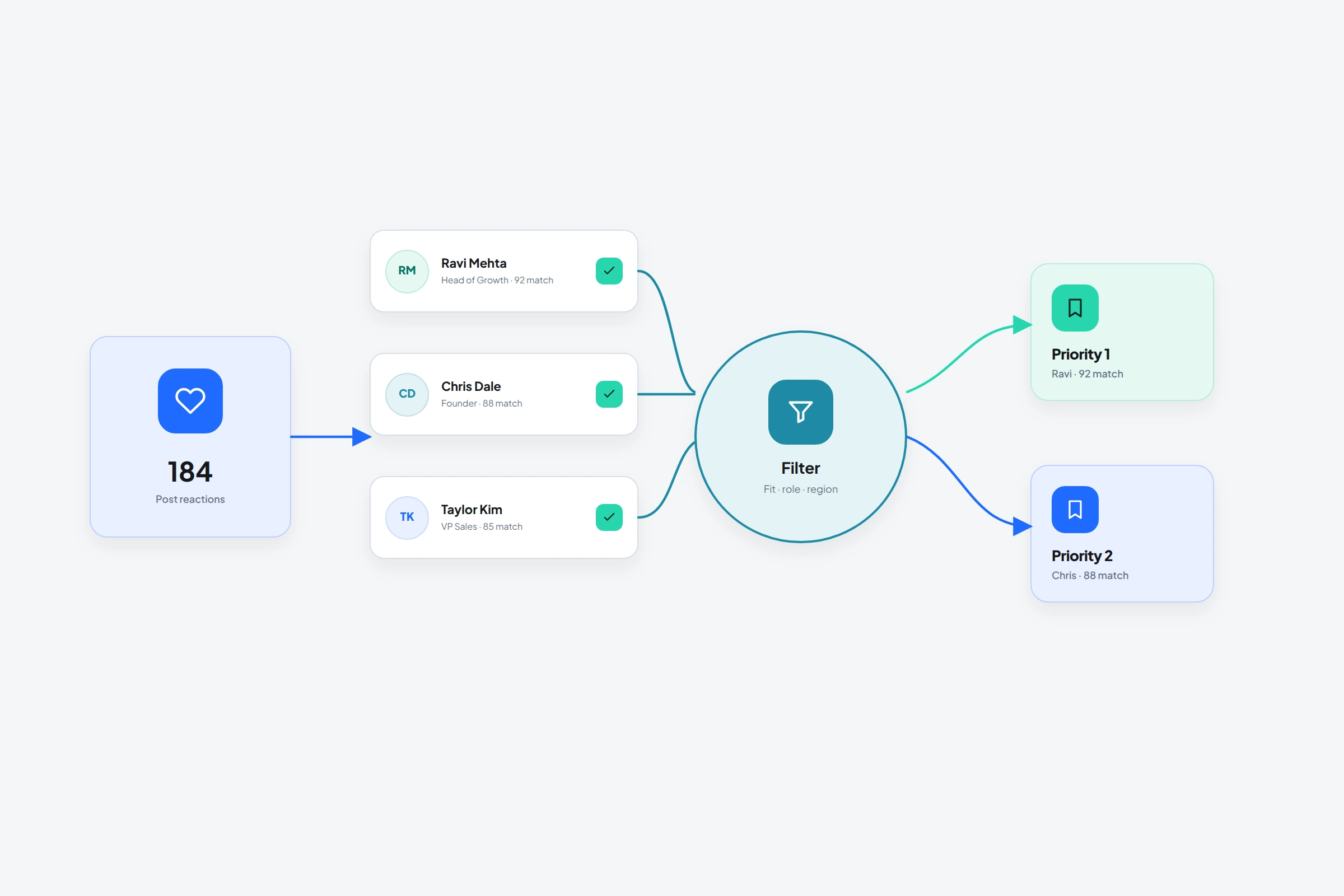
A LinkedIn reaction tells you that someone paused on a topic. That is useful. It doesn't tell you why they reacted, whether they match your market, or whether they want to hear from you.
OutreachGenie can collect the people behind those reactions into a list. Your job is to keep the post context, qualify the profiles, and avoid turning a small signal into an oversized assumption.
01
When a reaction list is worth building
Use a post about a specific operational problem, change, or decision your audience handles. A reaction to “we changed our SDR compensation model” contains more potential context than a reaction to a general career quote.
You can use your own post, a company post, or a public post from someone respected in the market. Don't assume another creator's audience belongs to you; the shared topic is a starting point for relevance, not a shortcut around trust.
02
Capture the reactors in OutreachGenie
- 01
Open the source post
Confirm that the visible post is the one whose reactions you want to inspect.
- 02
Choose Reactions in the sidebar
Set the import amount and decide whether the prospects belong in an existing topic list or a new one.
- 03
Let the import finish
The sidebar shows progress and keeps the job tied to the destination list.
- 04
Qualify in the workspace
Filter by role, company, location, connection state, or your own custom fields before creating a campaign.
03
A reaction-first message should still sound human
Don't write “I saw you liked this post, so I thought you need our software.” That leap is too large. If the topic genuinely overlaps with their work, ask a small question or share a concise observation.
Commenters often give you language to respond to; reactors don't. That means your first message should make fewer assumptions, not more.
- Remove the post author and your own team
- Exclude obvious peers, vendors, and unrelated roles
- Separate existing connections from people who would need an invitation
- Record the source post so future messages retain context
04
Export the reviewed list, not the raw reaction count
A CSV is useful when another person needs to review the list, when you want a backup before a campaign, or when selected fields must move into another system. It is not a substitute for qualification.
Import the visible reactors into OutreachGenie first. Remove the post author, your team, obvious peers, irrelevant roles, duplicates, and people already in an active conversation. Then export the list from the workspace so the file represents an audience you can explain.
- 01
Keep the source in the list name or notes
Record the post topic and creator so the file still makes sense after it leaves OutreachGenie.
- 02
Choose only fields the recipient needs
Keep the LinkedIn profile URL, name, current role, company, list, and factual notes. Avoid filling missing fields with guesses.
- 03
Open the CSV before handing it off
Check headers, character encoding, duplicates, and whether the profile URLs remain usable.
05
What the export cannot tell you
Those unknowns should shape the next step. Use the reaction as a prompt for research, not as a claim about intent.
- Why a person reacted
- Whether the person has the problem discussed in the post
- Whether the person wants a message
- Whether their current title still matches the profile data
Common questions
Questions that come up in practice
Can I export everyone who liked a LinkedIn post?
OutreachGenie can import visible reactors into a prospect list up to the amount you choose, then export the resulting list from the workspace. Availability depends on what LinkedIn shows and permits the extension to process.
What should a LinkedIn post likers CSV contain?
Keep the LinkedIn profile URL, name, current title, company, source list, and factual review notes. The source post topic matters because it explains why the person entered the list.
Are post likes a buying signal?
They are an attention signal. Treat them as a reason to research the person, not as proof that they are evaluating a product.
Should likes and comments go into the same list?
Only when you intend to use the same qualification rule. Comments contain more context, so many teams review them separately from reactions.
Research used for this guide
Try the workflow