
MCP access for AI clients
How to use OutreachGenie with Codex or Claude Code for plain-language prospecting
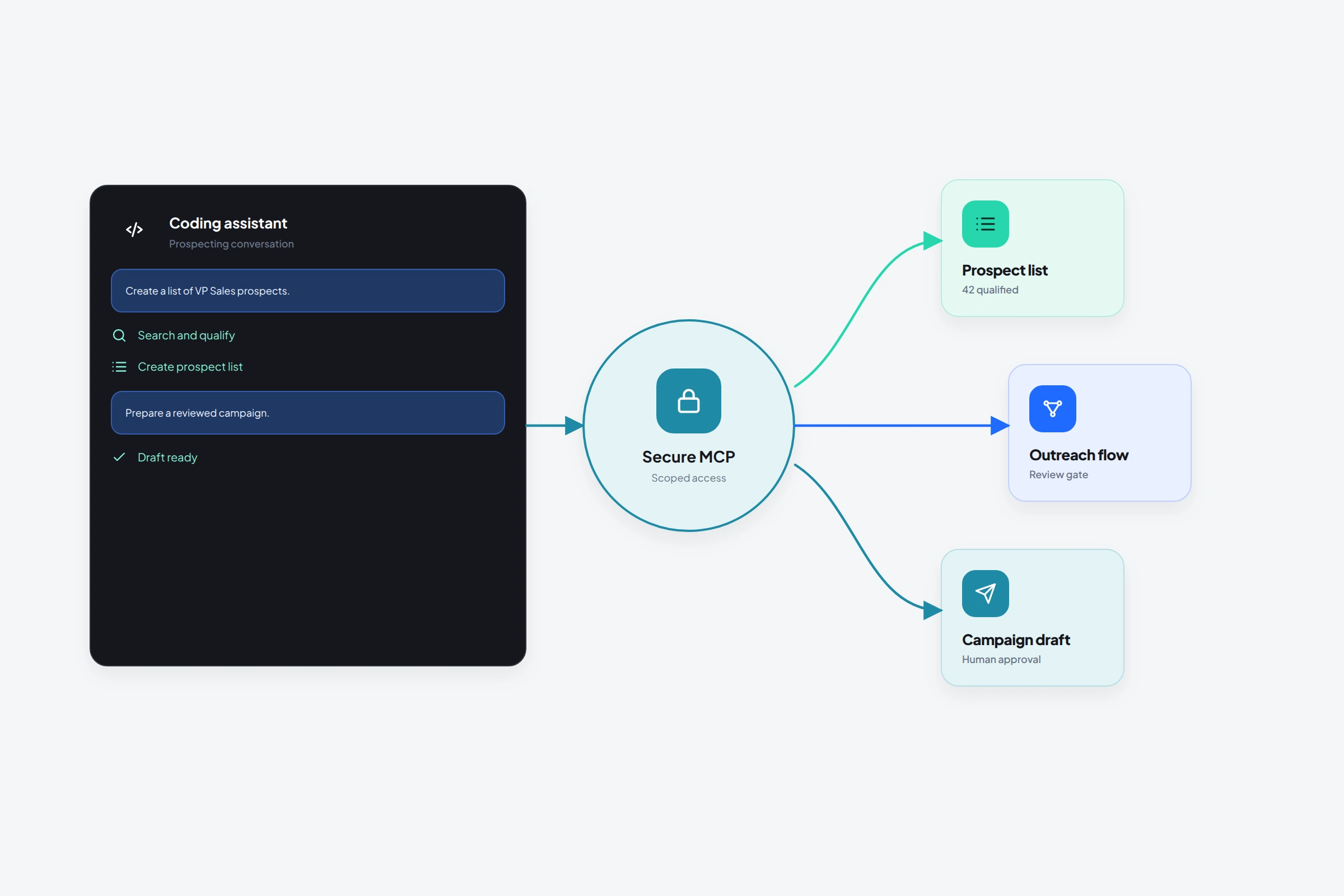
An MCP connection lets Codex or Claude Code work with data already in OutreachGenie. You can ask it to inspect a list or explain a flow without pasting a spreadsheet into chat. Use it for research and setup, with write actions kept explicit and reviewable, not as an unsupervised salesperson.
01
What the OutreachGenie MCP connection is for
This is most useful when the data already lives in OutreachGenie. The AI client can reason over structured workspace context instead of relying on a pasted spreadsheet that becomes stale immediately.
- Check the active workspace and connection state
- Read and summarize prospects and prospect lists
- Create or organize lists with explicit approval
- Inspect flows and prepare outreach logic
- Connect list and flow context when planning campaigns
02
Connect the MCP server
- 01
Create a workspace API key
Open OutreachGenie workspace settings, issue a key, and copy it once into a local environment variable. Don't commit it or paste it into an article, ticket, or chat transcript.
- 02
Register the hosted server
Use the OutreachGenie MCP documentation for the current server URL and the Codex or Claude Code command for adding a bearer-token connection.
- 03
Restart the AI client
MCP tool discovery usually happens at startup. Confirm the OutreachGenie tools appear after restart.
- 04
Run a read-only check
Ask which workspace is active or request a list summary before attempting any write action.
03
Prompts that keep the work reviewable
The phrase “don't change anything” is useful for exploration. For writes, ask the client to state the intended records and impact first, then approve the exact action.
- Summarize the Partner leads list and flag missing LinkedIn URLs. Don't change anything.
- Compare these two prospect lists and explain the overlap before proposing a merge.
- Inspect the Partner outreach flow and describe every action a prospect would experience.
- Prepare a campaign plan using the approved list and flow. Show the plan before creating it.
04
The non-technical advantage
You don't need to write API calls or understand transport details to use the connected tools. The client translates plain-language intent into structured OutreachGenie operations.
You still need to understand the business decision. The AI can identify missing fields or describe a flow, but it shouldn't decide that a prospect deserves outreach or that a message is appropriate without your review.
Common questions
Questions that come up in practice
What is MCP?
Model Context Protocol is a standard that lets an AI client discover and call tools exposed by another service, such as OutreachGenie's workspace operations.
Can non-developers use OutreachGenie MCP?
Yes. Setup requires copying a server configuration and storing an API key locally, but everyday requests can be written in plain language.
Can the AI send LinkedIn actions by itself?
The MCP tools operate on supported OutreachGenie workspace resources. Browser execution still depends on the product flow, connected extension, account state, and your approvals and settings.
Research used for this guide
Try the workflow