
LinkedIn account restricted: identify the notice and take the right next step
Account restrictions and recovery
If your LinkedIn account is restricted, save the notice and follow the recovery route it provides. An invitation limit, an automated-activity suspension and a community-policy restriction have different conditions. Advice for one can be wrong for another.
Stop queued LinkedIn activity while you establish what happened. Record any end time, verification request or appeal option shown. A restriction does not by itself tell you whether access will return, what information remains available, or whether a review will succeed.
Identify which restriction you have
An invitation restriction can stop connection requests while other features remain accessible. LinkedIn's invitation guidance lists many invitations in a short period, ignored or pending requests, spam reports and suspected automation among the reasons. Basic and Premium members are both subject to these limits.
An automated-activity notice concerns software or extensions that scrape, modify or automate LinkedIn. LinkedIn's instructions for this notice say to review and disable the software or extension, with re-enablement at the time specified in the suspension notification. A contact option for further details is available only to some members.
A community-policy restriction concerns LinkedIn's Professional Community Policies. Its general account-restriction page identifies policy violations as a possible basis for restrictions. The available response depends on the notice and decision.
An identity-verification prompt is another instruction to resolve through the official flow. Record what it requests rather than assuming the same documents, review route or deadline apply to everyone.
Contain activity and preserve the evidence
Before writing an appeal or changing settings:
- Save the full notice, including its wording, date, end time and available buttons. Keep any case reference and relevant LinkedIn email.
- Pause queued LinkedIn actions in the tools you use. For an automated-activity notice, review and disable the relevant software or Chrome extensions as LinkedIn directs, including on another device you operate.
- Write down the activity you actually recognize: invitations, messaging, data collection, a content post or a recent software change. Separate observations from guesses about the cause.
- If activity is unfamiliar, secure the account through LinkedIn's official account controls. The automated-activity guidance also recommends regular password changes to help prevent unauthorized access.
Disabling software addresses ongoing activity. It does not prove that LinkedIn will reverse a decision. There is no published basis here for claiming that a reviewer checks an uninstall before anything else.
Follow the route offered by LinkedIn
Sign in through LinkedIn's website and use the instructions shown for your account. Complete verification if requested. If a review option is offered, explain the decision you are challenging and the facts that support the request.
A useful case note contains the notice date, the affected feature, what you were doing and any corrective action you completed. Name a tool if it is relevant. Do not say you removed software unless you did, or invent a cause to make the explanation sound decisive.
For example, adapt this structure only where it matches the facts:
My account received [exact notice] on [date]. Before the notice, I was [activity]. I have [completed action]. I am requesting review because [specific reason]. The case reference is [reference, if available].
Keep the submitted wording and response together. Follow any further request in that case. The User Agreement prohibits misuse of appeals through duplicative, fraudulent or unfounded submissions; repeated copies of the same request are not a recovery strategy.
Where the once-only appeal and 48 hours apply
Another chance to regain account access describes a particular community-policy process. Depending on the violation, LinkedIn may offer a 48-hour wait followed by agreement to comply with its policies. In that process, the restriction period begins when the member logs in. The page also says each decision may be appealed once.
Those details are not a universal timetable or appeal rule for every restriction. Do not apply them automatically to an invitation limit, identity check or automated-activity notice. Use the flow actually offered to you.
Understand the timing without inventing a recovery date
For invitation restrictions, LinkedIn says most are removed within one week and support cannot remove them on request. This is guidance about that category, not a promise about your account or a reason to treat every restriction as a seven-day block.
For automated activity, LinkedIn points to the time in the suspension notification. For a review or verification request, use the status and instructions supplied in that process. The cited guidance does not establish one review turnaround for all accounts.
If the displayed time passes and access remains blocked, preserve the current status and use the official contact or case route available to you. Record any changed instruction. Avoid repeated test invitations, attempts to bypass the block or paid offers to remove it.
Withdrawing invitations is not a way to purchase more capacity or force a restriction to end. LinkedIn also says you may be unable to invite the same recipient again for up to three weeks after withdrawal.
Review the workflow before resuming
There is no published universal action count that makes third-party automation permitted. LinkedIn's prohibited-software guidance explicitly includes browser extensions, scripts and bots that scrape or automate its site. Changing hosting, spacing messages or lowering a campaign cap does not change that rule.
Before resuming, check whether the underlying activity conflicts with the notice or policy. Remove irrelevant recipients and unresolved duplicates from your planned audience. Review ignored invitations and complaints as evidence that the approach needs attention, without pretending they reveal LinkedIn's enforcement thresholds.
Do not create another account or use someone else's account to continue the queue. LinkedIn's User Agreement requires one account in your real name and prohibits sharing or using another member's account. Repeated automated-activity suspensions can result in permanent restriction, according to its invitation guidance.
What you can still organize in OutreachGenie
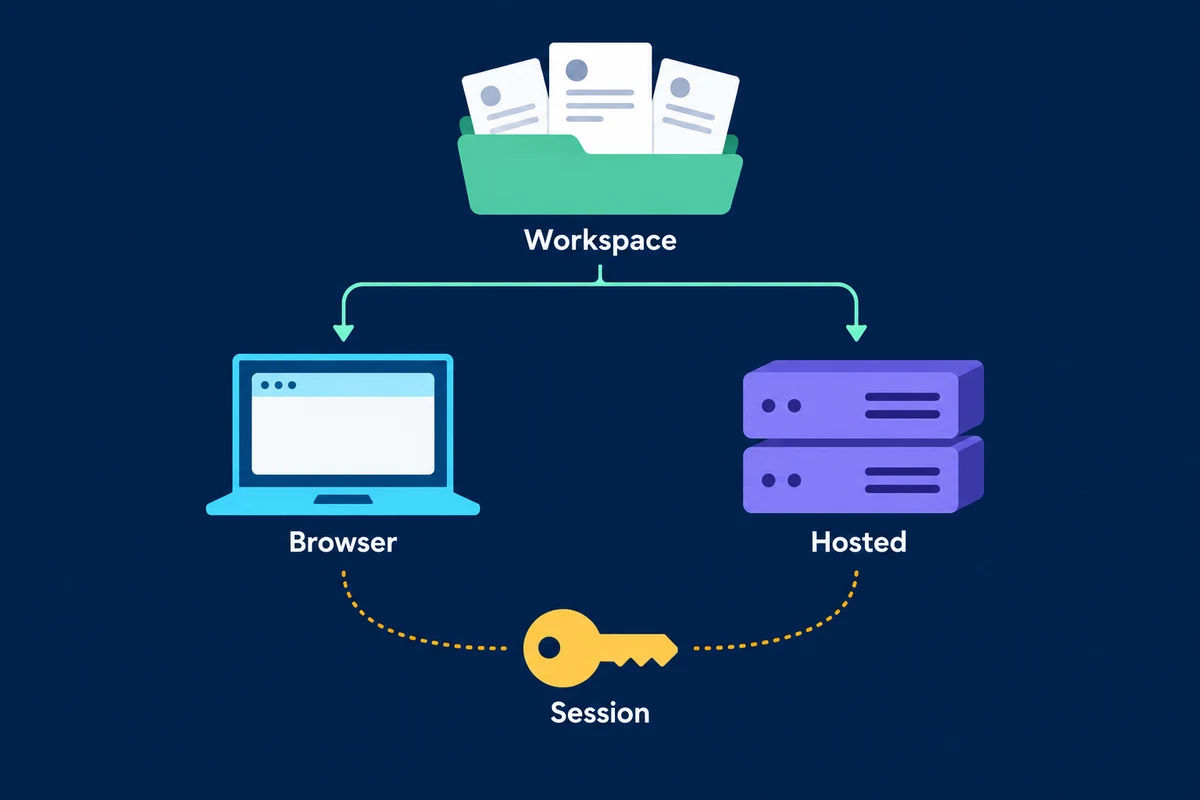
OutreachGenie's paired Chrome extension performs LinkedIn-side actions through the signed-in browser session. The workspace stores prospect and campaign data. This architecture does not exempt the activity from LinkedIn's rules or establish that browser execution has a lower restriction risk.
Pause affected campaigns and keep the extension disabled where the notice requires it. Work from records already in the workspace: check promised follow-ups, correct audience notes and remove irrelevant prospects from future plans. A blocked LinkedIn account may prevent new LinkedIn-side updates, so do not treat old records as live verification.
The product facts describe the workspace and execution boundary. The browser-versus-cloud guide explains operational differences, and the limits and working-hours guide discusses campaign controls. None of these controls can restore account access or authorize activity that LinkedIn prohibits.
Questions that come up in practice
Common questions
How long does a LinkedIn account restriction last?
There is no single duration. LinkedIn says most invitation restrictions are removed within one week. Automated-activity guidance points to the time in the suspension notice. Verification and policy-review processes have their own instructions, so use the notice for your account.
Can every LinkedIn restriction be appealed once?
LinkedIn's Another chance to regain account access page says each decision in that community-policy process may be appealed once. Do not treat that as the procedure for every invitation limit, identity check or automated-activity suspension. Follow the review option actually offered.
Should I disable an extension after an automated-activity notice?
Yes. LinkedIn directs members restricted for automated activity to review and disable the software or extension that automates it. Disabling a tool does not itself establish that an appeal will succeed or change the time in the notice.
Does a low sending limit make LinkedIn automation safe?
No universal safe automation allowance is established by the cited LinkedIn guidance. Its prohibition includes browser extensions and other software that scrape or automate its site. Campaign caps and working hours do not change that policy or prevent restrictions.
Can OutreachGenie restore my restricted LinkedIn account?
No. Account access and review decisions belong to LinkedIn. Pause affected campaigns, follow LinkedIn's notice and disable the relevant extension when directed. Records already in the OutreachGenie workspace can help organize follow-ups, but they do not verify current LinkedIn status.
Research used for this guide
Review OutreachGenie's product and policy boundaries
Next step